To Next PageTo Next Page
 Need help?
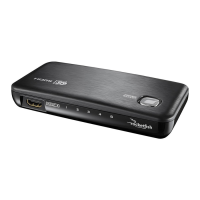
Do you have a question about the RocketFish RF-HDMI4 and is the answer not in the manual?
Automatically switches to the most recently powered-on device for seamless operation.
Allows manual switching between connected HDMI devices using the POWER/SELECT button.
Enables control of device switching and power via the included remote control.
Instructions for safely replacing the battery in the remote control unit.
Details the one-year (365 days) warranty period from the date of purchase.
Explains coverage for defects in material or workmanship, including repair or replacement.
Provides instructions on how to get service by returning the product to the point of purchase.
Specifies where the warranty is valid and lists common exclusions like cosmetic damage or misuse.
Automatically switches to the most recently powered-on device for seamless operation.
Allows manual switching between connected HDMI devices using the POWER/SELECT button.
Enables control of device switching and power via the included remote control.
Instructions for safely replacing the battery in the remote control unit.
Details the one-year (365 days) warranty period from the date of purchase.
Explains coverage for defects in material or workmanship, including repair or replacement.
Provides instructions on how to get service by returning the product to the point of purchase.
Specifies where the warranty is valid and lists common exclusions like cosmetic damage or misuse.
 General
| Brand | RocketFish |
|---|---|
| Model | RF-HDMI4 |
| Category | Switch |
| Language | English |