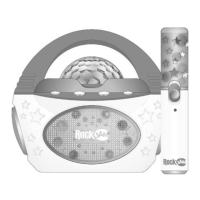
LIGHTS: Press and hold button to turn the light show OFF. Press
and hold button to turn the light show back ON.
10
Press to select between input modes such as Bluetooth, AUX and
USB
11
Press once to go back to the start of the track. Press twice to select
the previous track. (Does not work in Aux mode)
12
Press to alternately pause and play the music.
NOTE: In AUX input mode, the music is muted but not paused.
13
BUTTON
Press to go to the start of the next track. (Does not work in Aux
mode)
14
Press to select a voice effect. There are 4 voice effects + normal
voice to choose from.
Initial Setup
Unpacking
Unpack the karaoke party speaker carefully. We recommend that you save the box and packing
materials in case you wish to store the speaker. Before setting up the unit, verify that the
following accessories are present:
• 1 x USB power cable
• 1 x AUX input audio cable
• 2 x Wired Microphones
Charging the Karaoke Party Speaker
Unwind the USB power cable to its full length; connect one end to the DC 5V input jack on the
top of the speaker. Connect the other end to a USB power adapter or PC USB port. The
charge
indicator LED will light up red to indicate charging. Charge for at least 4 hours before first use.
The charge indicator LED will go out when the speaker is fully charged.


 To Next Page