53
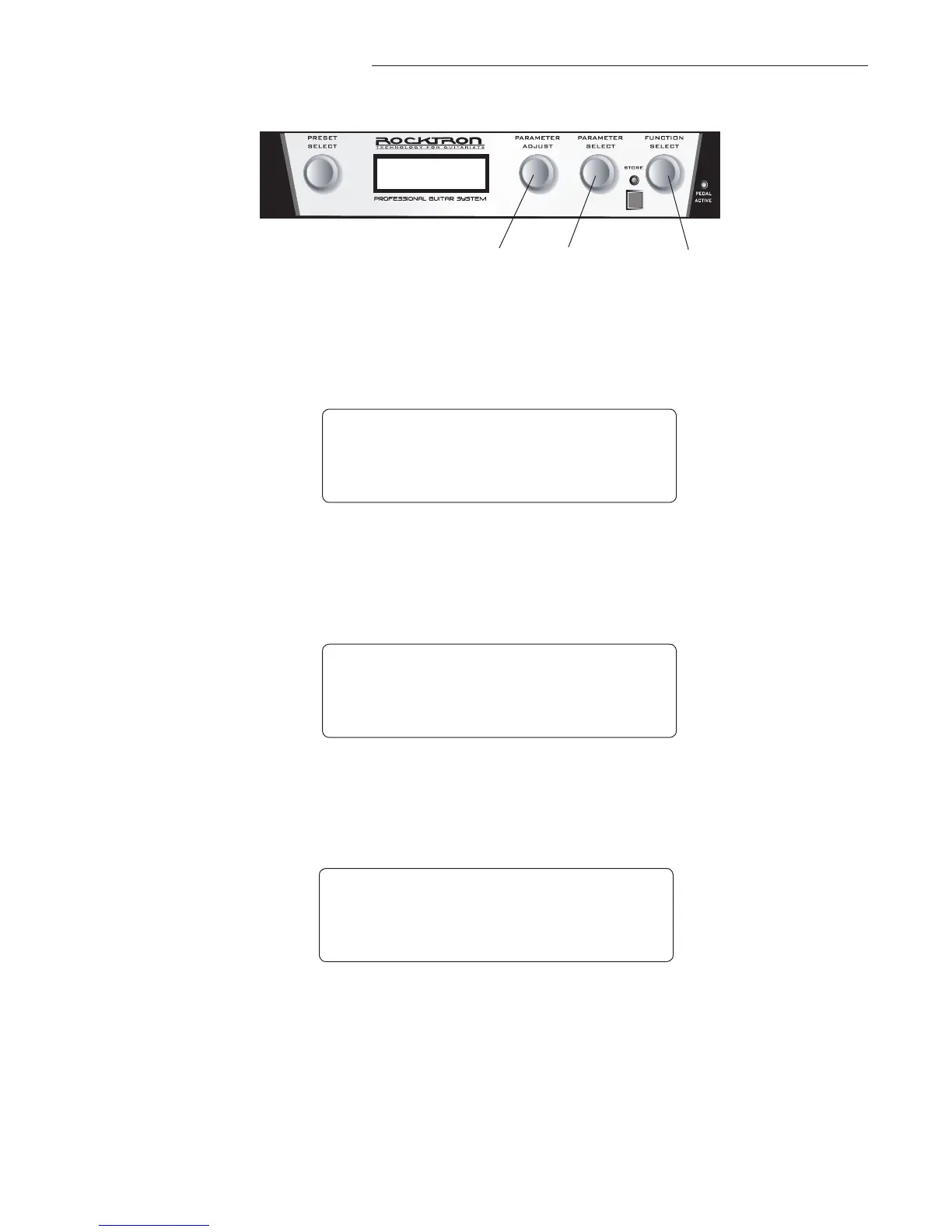
Step 1
3
1
2
Step 3
Step 2
NOTE: If you have changed a parameter the "STORE" LED will light. The change(s) that you made
will not be stored until you have pressed the "STORE" button. Please follow instructions on the next
page for details on how to store changed parameters.
8. Changing preset parameters:
Turn the FUNCTION SELECT knob to select the function heading which contains the
parameter(s) you wish to change.
Turn the PARAMETER SELECT knob to the specific parameter you wish to change.
Turn the PARAMETER ADJUST knob to alter the parameter value.
* * * * R E V E R B * * * *
R E V I N P U T M U T E D
* * * * R E V E R B * * * *
R E V D E C A Y 9 4
* * * * R E V E R B * * * *
R E V D E C A Y 3 2


 To Next Page