79
1 2
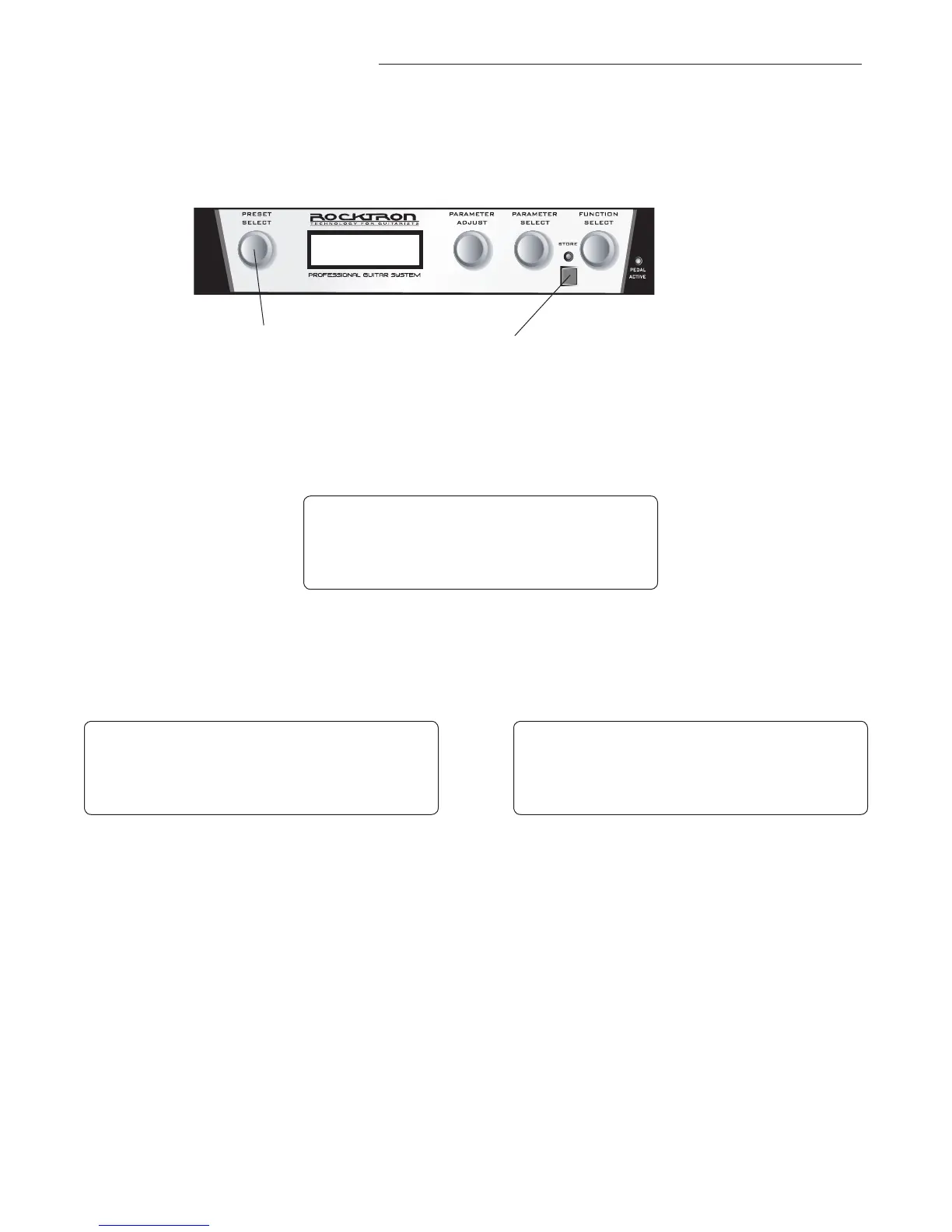
Turn the PRESET knob to the preset number you wish to be recalled each time the
unit is turned on.
Step 2
8. Selecting a Power on Preset:
The UTOPIA G300 allows you to store a Power On preset which will always be recalled when
the unit is turned on.
Step 1
Press the STORE button. The screen will flash PWR ON PR STORED and then re-
turn to the preset name page.
In the above example, preset 7 has been saved so that when you turn the UTOPIA G300 on in
the future, preset 7 will be the preset that is recalled.
B 0 0 J A M M I N
P W R O N P R S T O R E D
B 0 0 J A M M I N
7 C H R - D L Y - R E V
B 0 0 J A M M I N
7 C H R - D L Y - R E V


 To Next Page