8
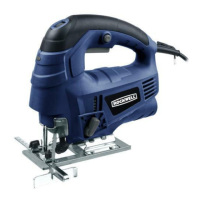
800W JIG SAW EN
OPERATION INSTRUCTIONS
NOTE: Before using the tool, read the instruction
book carefully.
Intended Use
The machine is intended for sawing wood, plastic,
metal and building materials while resting rmly on the
workpiece. It is suitable for straight and curved cuts with
mitre angles to 45°. The saw blade recommendations are
to be observed.
ASSEMBLY
1. FIT / REMOVE THE BLADE (SEE FIG. A&B)
The pendulum jig saw is equipped with a tool free blade
holder (13). To open the dust cover (4), rotate it to the
horizontal position shown in Fig. A. To open the blade
holder, rotate the ring clockwise and hold in position.
Fully insert the blade (8) into the holder slot with blade
teeth facing forward and release the ring, which will
self-rotate and clamp over the top of the blade. Push
the blade into the holder again to ensure it is locked in
position. Ensure the edge of the blade is located in the
groove of the roller guide (9).
To remove the blade, hold the blade and rotate the ring
clockwise then pull out the blade.
Note: For best cutting results, ensure that you use a
blade suited to the material and cut quality you need.
Warning:
Blade teeth are very sharp.
Blade self-eject out swiftly.
Do not point at people.
2. ADJUST THE PARALLEL GUIDE (SEE FIG. C&D)
The parallel guide helps you to make an accurate
parallel cut. Release the locking screws (6). Insert the
parallel guide (7) from the appropriate side (left or right)
accordingly and slide to the required position then lock
the screws. Make sure that the guide surface of the
parallel guide points downwards.
3.ASSEMBLE THE VACUUM ADAPTER (SEE FIG. E)
Insert the vacuum adapter (14) to the dust extraction
outlet. Directly connect a suitable vacuum hose to the
adapter.
Clean the vacuum adapter regularly to ensure optimum
dust extraction. The vacuum cleaner must be suitable
for the material to be worked.
OPERATION
1. ON/OFF SWITCH (SEE FIG. F)
Depress it to start and release to stop your tool.
2. SWITCH LOCK-ON BUTTON (SEE FIG.F)
Depress the on/off switch then the lock on button. Your
tool is now locked on for continuous use. To switch off
your tool just depress and release the on/off switch.
3. PENDULUM ACTION CONTROL (SEE FIG. G)
The adjustable 4-stage pendulum action makes it
possible to adjust the blade penetration on the upward
stroke for the various working materials. Optimal
cutting performance is thereby achieved. The blade is
lifted from the workpiece on the downward stroke. This
results in improved chip ejection while substantially
reducing frictional heat and increasing the life
expectancy of the saw blade.
The pendulum action can be adjusted to four stages
with the control knob. The setting can be changed
while operating.
Stage 0: Pendulum action off
Stage 1: Low pendulum action
Stage 2: Moderate pendulum action
Stage 3: High pendulum action
NOTE:
• The pendulum action should be off when working with
thin materials such as sheet metal.
• Switch off pendulum action when using rasps or
knifes.
• If smooth cut edges are desired for soft material,
select low stage or switch off pendulum action.
• Select high pendulum action when working with most
soft materials such as wood and plastic.
The optimum setting can be determined in practical
trials.
4. VARIABLE SPEED CONTROL (SEE FIG. H)
Adjust the variable speed control to increase or
decrease the speed according to the material, material
thickness and blade specication to be used (also
possible during no load operation).
1-2 = Low stroke rate
3-4 = Medium stroke rate
5-6 = High stroke rate
The required stroke rate depends on the different
materials and the working conditions. Fast enough to
make reasonable progress while slow enough to keep a



 To Next Page