EasyManua.ls Logo

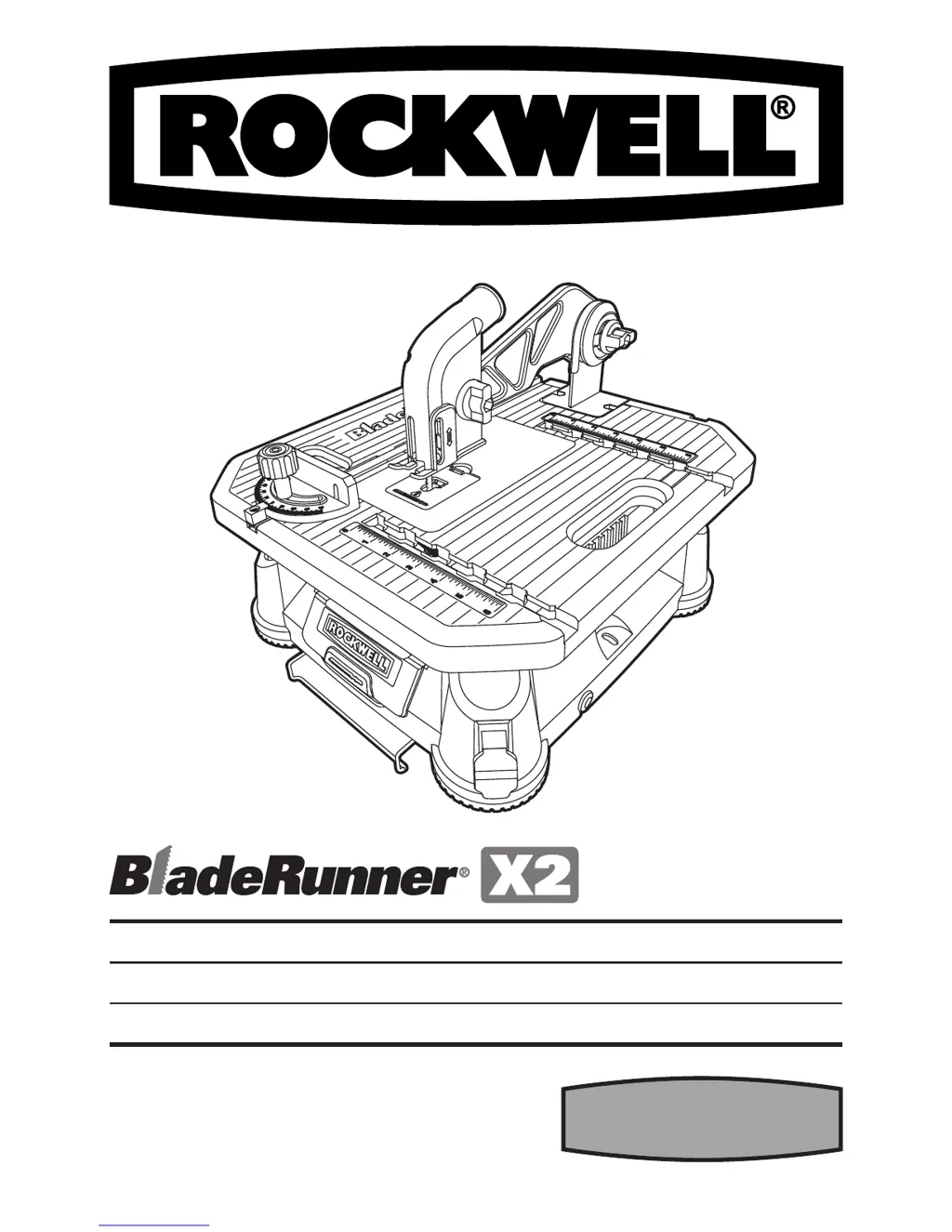
Rockwell RK7323 - User Manual

Rockwell RK7323
28 pages
Print Icon
To Next Page IconTo Next Page
Loading...
BLADERUNNER
®
X2 PAGE 9 ENG
BLADERUNNER
®
X2 PAGE 15 ESP
BLADERUNNER
®
X2 PAGE 21 FRE
RK7323

Questions and Answers

  • S
    Stacy SimpsonJul 26, 2025
    What to do if the Blade Release button on my Rockwell RK7323 cannot be pressed down?
    • M
      Mrs. Jasmine RichardJul 26, 2025
      If the Blade Release button on your Rockwell Power Tool cannot be pressed down, dust may have accumulated around it. Clean the dust around the Blade Release button.
  • J
    Johnathan NewtonJul 31, 2025
    How to fix a Rockwell Power Tool blade that is not clamped tightly?
    • J
      Jennifer MartinezJul 31, 2025
      If the blade is not clamped tightly by the Blade Holder on your Rockwell Power Tool, it might not be inserted fully. Use the blade grip to push the blade as far into the blade holder as possible before letting go of the Blade Release.
  • C
    Charles WoodAug 4, 2025
    Why is my Rockwell RK7323 cutting poorly?
    • L
      Lauren McclureAug 4, 2025
      Poor cut quality from your Rockwell Power Tool can stem from several issues. The blade could be worn out, so ensure it is sharp and undamaged. Also, verify that the blade is installed correctly. Excessive vibration in the material can also cause this, so tighten the guard and guard arm firmly. If the saw itself is vibrating too much, clamp or fasten the saw base to the tabletop. Finally, if you're feeding the material too quickly, reduce the feed rate.
  • B
    Barbara FloydAug 9, 2025
    What to do if my Rockwell RK7323 won't start?
    • P
      Patrick PayneAug 9, 2025
      If your Rockwell Power Tool does not start when switched on, the power cord might not be properly plugged in. Check to make sure the power cord is securely connected to a working outlet.
  • K
    kendra61Aug 13, 2025
    Why is work efficiency low with my Rockwell RK7323?
    • J
      jriggsAug 13, 2025
      Low work efficiency with your Rockwell Power Tool can occur if the blade is worn out; in this case, you should change to a new blade. Another possible reason is that you are feeding the material too quickly, so try feeding the material more slowly.
  • P
    Phillip RobinsonAug 17, 2025
    Why does the Guard Arm vibrate too much on my Rockwell RK7323?
    • J
      Jasmin FieldsAug 17, 2025
      If the Guard Arm vibrates too much on your Rockwell Power Tool, the screws fixing the Guard Arm on the work table might be loose. Tighten the screws as shown in Fig A1.
  • L
    Lauren MillerAug 21, 2025
    How to fix Rip Fence that won't slide smoothly on my Rockwell Power Tool?
    • K
      Kirk MartinAug 21, 2025
      If the Rip Fence cannot slide into the Fence Slot smoothly on your Rockwell Power Tool, the Rip Fence locking knob may be too tight. Loosen the Rip Fence locking knob.

Summary

BladeRunner X2 Component List

Key Controls and Safety Features

Identifies essential safety features and controls like the switch, blade release, and guards.

Cutting and Guiding Accessories

Components related to making cuts, including gauges, fences, and the blade itself.

Assembly and Adjustment Parts

Parts used for assembling, adjusting, and securing the tool's components.

Functional Components and Storage

Parts related to tool functionality, dust collection, and storage solutions.

General Safety and Operation Instructions

A. Double-Insulated Tool Safety

Safety guidelines for double-insulated tools, focusing on replacement parts and plugs.

B. General Tool Safety Precautions

Essential safety measures for all tools, including guards, work area, and personal protection.

Operational Safety and Maintenance Procedures

Work Security, Tool Care, and Disconnection

Ensures secure workpiece handling, proper tool maintenance, and safe disconnection before service.

Safe Operation Practices

Covers preventing unintentional starts, using correct accessories, and proper feed direction.

Specific Saw Hazards and Supervision

Addresses hazards like coasting blades, supervision, and standing on the tool.

Additional Safety Warnings and Symbols

Safety Warnings for Operation

Key safety instructions for operating the Bladerunner, including manual reading and guard usage.

Understanding Safety Symbols

Explanation of various symbols used in the manual, such as double insulation and protective gear.

Technical Data and Specifications

Electrical Ratings and Performance

Details voltage, amperage, speed, and cutting capacities.

Physical Attributes and Blades

Covers blade types, size, protection, and weight.

Operation and Maintenance Guidelines

Pre-Operation Checks and Safe Usage

Ensures proper setup, safety device checks, and dust management before and during operation.

Tool Care and Servicing

Instructions for maintaining the tool, cleaning, and addressing dust accumulation.

Troubleshooting Common Issues

Tool Not Starting or Poor Cut Quality

Diagnosing and resolving problems with tool startup and cut quality.

Blade Clamping and Adjustment Issues

Solutions for blade not clamping properly or the blade release button not functioning.

Vibration and Fence Sliding Problems

Addressing guard arm vibration and difficulties with the rip fence sliding smoothly.

Rockwell RK7323 Specifications

General IconGeneral
BrandRockwell
ModelRK7323
CategoryPower Tool
LanguageEnglish

Related product manuals