
 Need help?
Do you have a question about the Rockwell RK5100K and is the answer not in the manual?
The primary control for turning the power tool on and off.
Allows adjustment of oscillation frequency for RK5101K/RK5102K models.
Designated area for storing a key, likely for accessory changes.
Openings designed to allow air circulation for cooling the tool.
Components used for securing accessories to the tool holder.
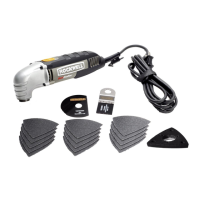
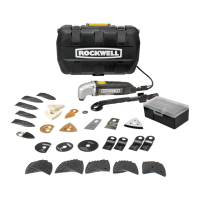
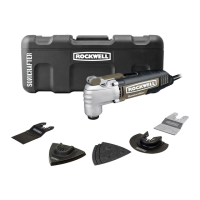
Various blades for wood, universal end cuts, and semicircle sawing.
Includes perforated and unperforated pads and sheets for sanding applications.
Accessories for scraping, rasping, and polishing tasks.
Enables the use of accessories from other brands.
Component for connecting a dust collection system.
Tool for tightening or loosening bolts, likely for accessory mounting.
Ensures a safe working environment by maintaining cleanliness and avoiding hazards.
Guidelines for safe electrical connections and preventing shock hazards.
Precautions for user alertness, protective gear, and proper attire during operation.
Instructions on correct tool usage, maintenance, and storage to prevent accidents.
Mandatory use of eye, ear, and dust protection; avoid wet conditions.
Covers cord safety, accessory mounting, hand placement, wiring, vibration, and dust hazards.
Instructions on keeping and referring to safety information for safe operation.
Use proper gauge and condition cords to prevent power loss and overheating.
The tool is double insulated, eliminating the need for grounding.
Ensure power supply matches rating plate voltage; tool uses a two-core cord.
Procedure for securely attaching cutting or sanding accessories using the bolt and flange.
How to fit accessories from other brands using the provided adapter.
Align and attach sanding sheets to the pad, ensuring good adhesion.
Instructions for attaching the dust collection suction device.
Details on how to turn the tool on and off using the slide switch.
Adjusting oscillation frequency for optimal performance with different accessories.
Important caution to ensure the workpiece is stable and cords are not damaged.
Guidance for sanding wood and metal in small areas with high oscillation frequency.
Tips for sawing wood, plastic, and sheet metal with high oscillation frequency.
Using the universal blade for wood, plaster, and soft metals.
Using the tool for scraping varnish or adhesives with medium/high oscillation frequency.
Tips for managing tool heat and ensuring longevity, like running at no load.
Instructions for cleaning, storing, and maintaining the power tool for optimal performance.
Policy for exchanging a defective tool within 30 days of purchase.
Details of the manufacturer's warranty covering defects in materials and workmanship.
Specifies what is not covered by the warranty, such as abuse or commercial use.
Contact information and requirements for obtaining warranty service.
 General
| Brand | Rockwell |
|---|---|
| Model | RK5100K |
| Category | Power Tool |
| Language | English |


 To Next Page