43
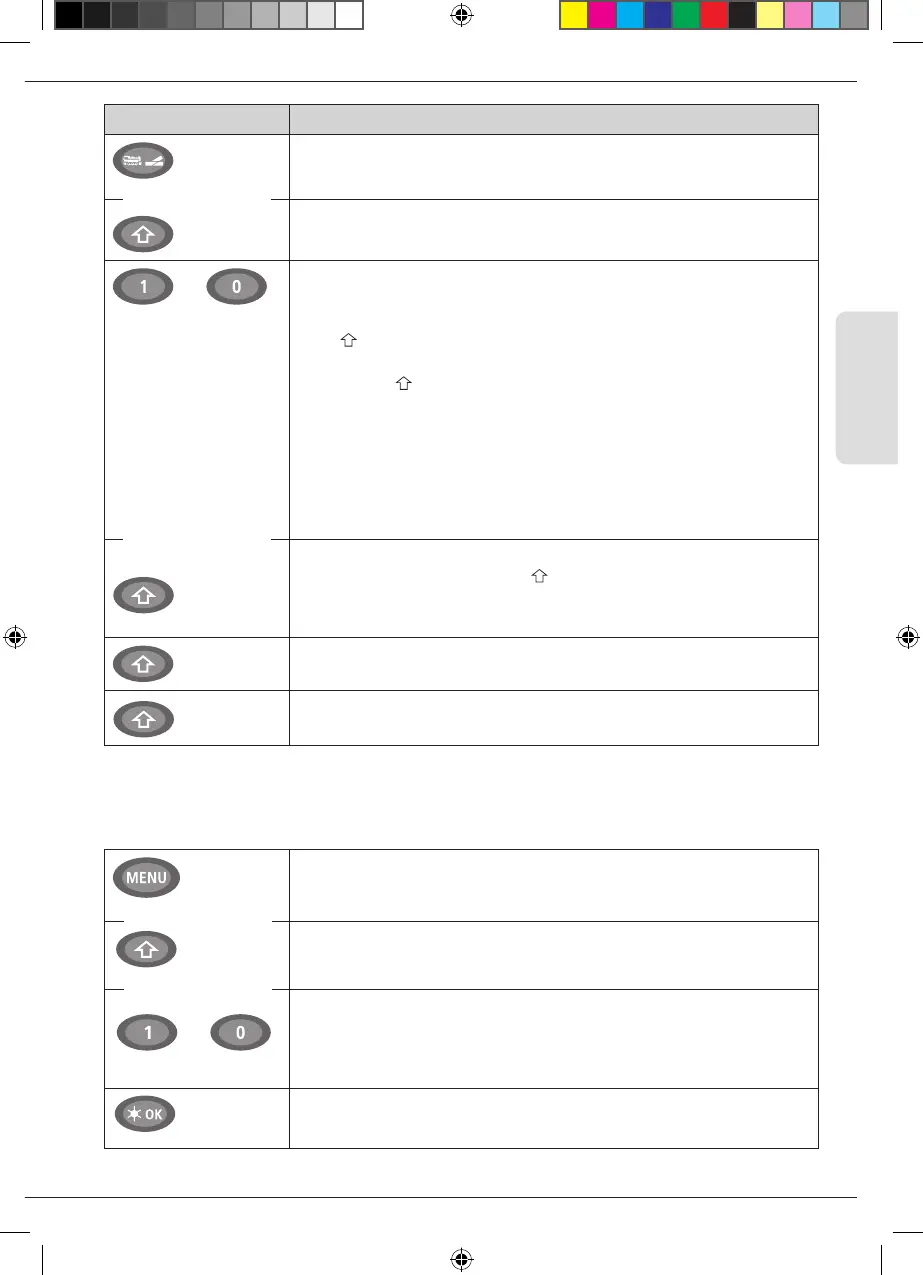
Keys Function
Loco / Turnout key
Shift
▪
Toggling between locomotive and turnout mode
▪
Switching between library and locomotive address mode
…
Function keys
Shift key
In drive mode:
▪
Activates and deactivates the locomotive functions F1–F10 direct. The loco-
motive functions F11–F20 are activated using keys 1–10 together with
the -key. The locomotive functions F21-F28 are activated using keys 1-8,
after Level F21-F28 has been activated with a short double click of the shift
button (the -key remains visible). You can see the activated locomotive
functions on the display.
In menu mode:
▪
Input a locomotive name (alphanumerical) in the library
▪
Fast access to the menu items out of the menu level.
In turnout mode
▪
Input turnout number directly
▪
Switch locomotive functions F11 –F20 on or off. You can check the acti-
vated functions by pressing the -key
In turnout mode
▪
Call up to 10 saved turnouts (turnout shortcut keys)
Shift key
In drive mode:
▪
Check the activated functions F11 –F20
Shift key
Double click: The shift symbol flashes. Functions F21–F28 can be activated.
The shift symbol is extinguished when it is pressed again. Return to level F1-F10.
Menu key
Shift key
Function keys
▪
Switch to menu mode (press and hold for approximately 5 seconds)
▪
Return directly from all menu levels to locomotive/turnout mode
▪
Switch to menu mode
▪
Return directly from all menu levels to locomotive/turnout mode
In library or locomotive address mode:
▪
Quick-program CVs 1 –5 and 8 (MENU-key must be pressed rst)
In turnout mode:
▪
Call up to 10 saved turnouts (turnout shortcut keys)
Light/OK
▪
Switching the WLANmaus on
…
For users wishing to utilize the many different menu functions of the WLANmaus.
Note: The third part starting on page 54 describes everything worth knowing about the
programming functions.
in combination with
in combination with
in combination with
in combination with
Basic
8010813920.indd 43 13.07.2017 10:27:45


 To Next Page
 Loading...
