46
46
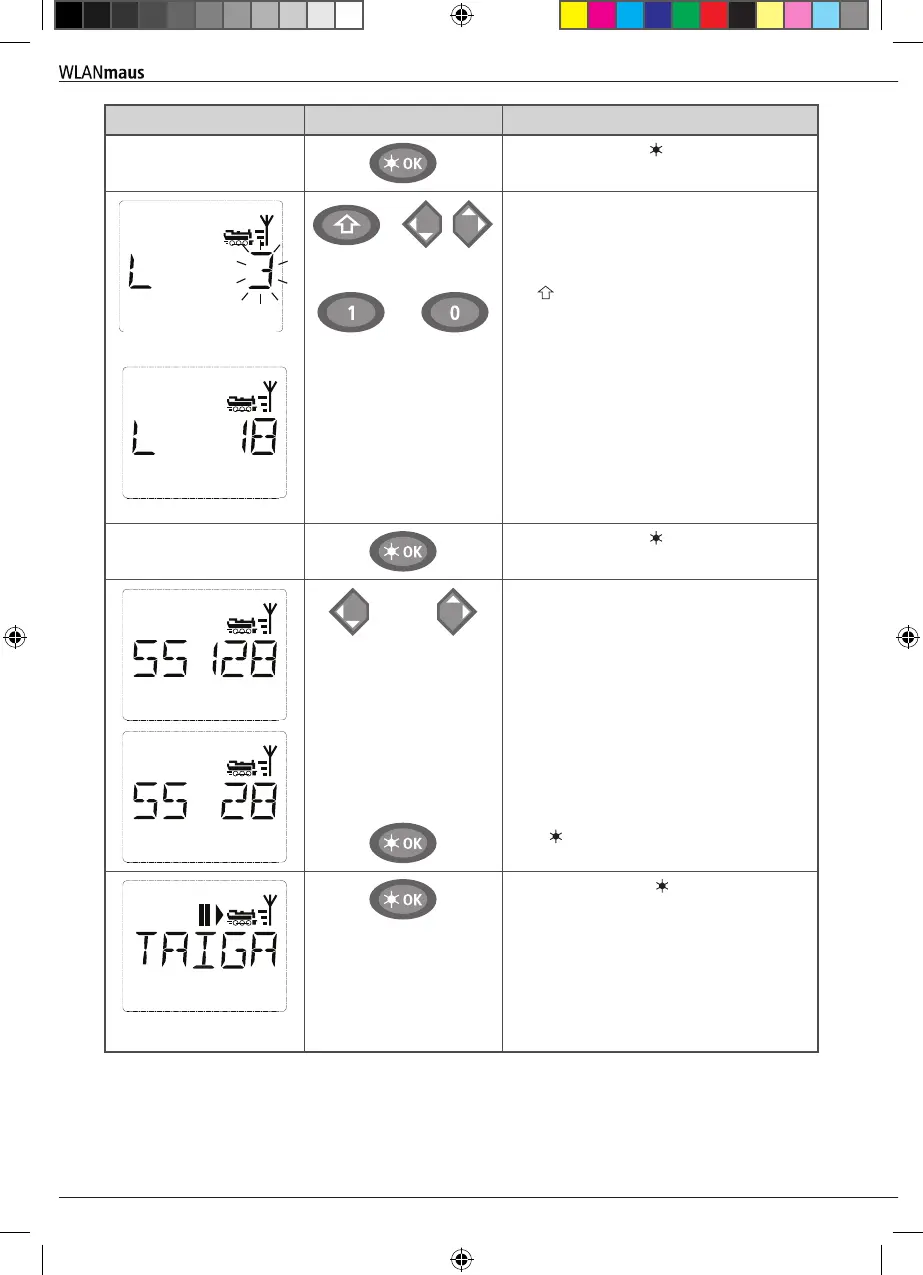
Display Input Comment
Conrm by pressing OK-key.
/
+
or
…
The WLANmaus then switches to the loco-
motive address. The suggested value is dis-
played, in this case “3.”
Change the suggested value by either using
the -key and one of the arrow keys or by
entering the number directly using the func-
tion keys. This change only affects the library
name order! You must change the decoder
address using CV1 (see chapter 2.6, page
52).
If the locomotive address you selected is
already assigned, the scrolling text „LOCO
ADDRESS ALREADY ASSIGNED“ is displayed.
If this is the case, you must select a differ-
ent value.
Conrm by pressing OK-key.
/
You select the speed steps using the ar-
row keys. You have 3 options available. 14,
28 or 128 speed steps. The factory setting
is for 128 speed steps. If you have selected
a preset in the “SETTINGS” menu, this will
appear on the display screen.
With 128 speed steps you can control your
locomotive with a particularly high level of
sensitivity. Modern decoders give you the
option of ne control.
If you do not wish to make a change, simply
press OK-key.
When you press the OK-key for the nal
time, you are nished entering the locomo-
tive in the library. Just check whether the
locomotive address in the library is identi-
cal to the address saved in the locomotive
decoder. Re-program the locomotive address
as necessary (see chapter 2.6, page 52). The
locomotive can now be controlled..
Operation - Driving and Switching
8010813920.indd 46 13.07.2017 10:27:46


 To Next Page
 Loading...
