48
48
See the operating manual for the functions which are available for your locomotive
▪
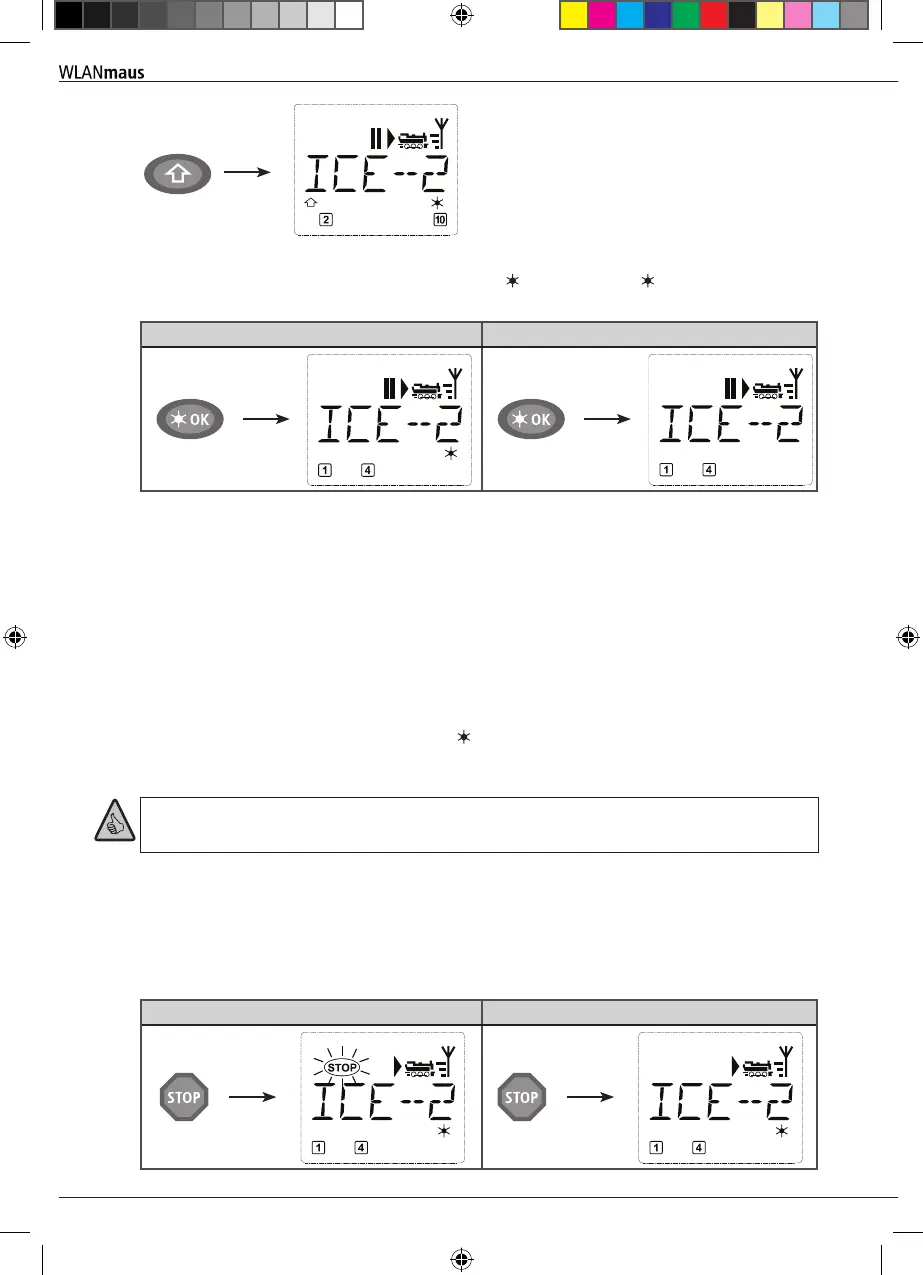
You switch the locomotive light on or off using the OK-key The star “ ” at the bottom right of
the display lights up to conrm that the locomotive lighting is switched on.
On Off
2.4 The Emergency Stop Functions
When a situation becomes dangerous: You can use the STOP-key. at any time to prevent a more seri-
ous calamity immediately. In order to avoid shutting down the entire system however, you can use
the “selective locomotive stop” function to stop only the locomotive selected and displayed.
To save battery life, the WLANmaus switches itself off if not used for a certain amount of time (value
can be set in menu 3.7, page 65). This action disconnects the entire system from the mains power
supply (factory setting) and causes the blue LED on the
Z21
to ash.
If you are switching the WLANmaus back on ( OK-key), the last used locomotive is displayed and
the “STOP” symbol ashes. Simply press the STOP-key to restart train operation. The blue LED stops
ashing on the
Z21
and the green LED once again depicts a steady light.
The
Z21
offers another option for an emergency stop. In case of an emergency, press the STOP-key to
disconnect the power supply to the system. Pressing the same key again switches the system back on.
.
2.4.1 Emergency stop
Press the STOP-key to sever the voltage at the track at once. The "STOP" symbol then appears in the
display and the blue LED ashes at the
Z21
. Press the STOP-key again to supply the system with volt-
age again.
Stop Driving
Operation - Driving and Switching
8010813920.indd 48 13.07.2017 10:27:46


 To Next Page
 Loading...
