RC821U 1080P Video Conferencing PTZ Camera User Manual
9
Language: EN, Chinese, Russian.
USB Format: 1080P60, 1080P50, 1080P30,
1080P25, 720P60, 720P50.
USB Mode: BULK, ISOC.
OSD Flip: On, Off.
USB Audio: On, Off.
UVC H264: On, Off.
5.8 COMMUNICATION SETUP
When in main menu page, move the cursor to
[Communication Setup] and press [HOME] key to
confirm to enter the Communication Setup page
as below.
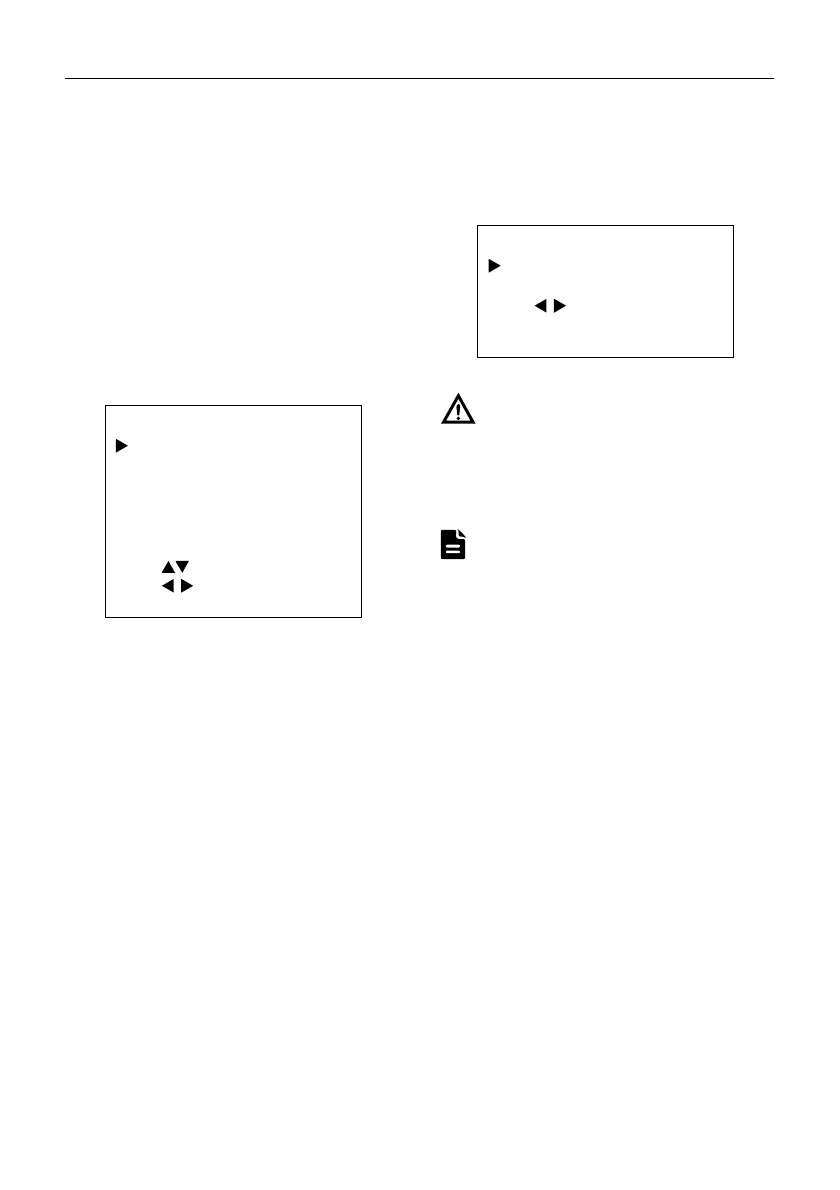
COMMUNICATION SETUP
Protocol
ISC
_Address 1
_AddrFix Off
Net Mode Serial
Baudrate 9600
Select Item
Change Value
[MENU] Back
Protocol: Auto, VISCA, PELCO-D, PELCO-P.
V_Address: 1~7 (Effective in Auto, VISCA
protocol).
V_AddrFix: On, Off (When set to On, the 88 30 01
FF command does not work. Effective in Auto and
VISCA protocol).
P_D_Address: 0~254 (Effective in Auto, PELCO-D
protocol).
P_P_Address: 0~31 (Effective in Auto, PELCO-P
protocol).
Net Mode: Serial, Paral (Effective in Auto, VISCA
protocol).
Baudrate: 2400, 4800, 9600, 38400.
5.9 RESTORE DEFAULT
When in main menu page, move the cursor to
[Restore Default] and press [HOME] key to
confirm to enter the Restore Default page as
below.
RESTORE DEFAULT
Restore? No
Change Value
[HOME] OK
[MENU] Back
Restore: Yes, No.
When selected “Yes” and confirm with [HOME]
key, all parameters will restore to default,
include the IR Remote address and VISICA
address.
GUI menu and device information are subject to
change without notice.
Notice
Note


 To Next Page