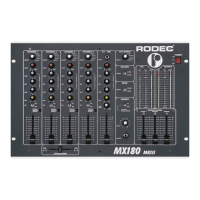
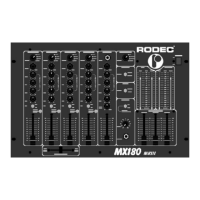
10
17) Pan Mic
Panoramic control for DJ microphone input. With this button you can position the microphone
signal between the left and right loudspeaker.
18) Power "ON" indicators
These indicators light up when the power is on.
19) Master fader
Volume controls final output of mixer towards slave or integrated amplifiers.
20) Monitor output potentiometer
Volume control for the signal level for the monitor output, this output does not contain the DJ-
mic signal to avoid feedback of the microphone-signal via the monitor loudspeakers.
21) Monitor equalizer controls
Bass and treble adjustment for the monitor output.
-20
-18
-16
-14
-12
-10
-8
-6
-4
-2
-0
+2
+4
+6
+8
+10
+12
+14
+16
+18
d
B
r
20
50 100 200 500 1k 2k 5k 10k
HIGH MAX
HIGH MIN
22) Monitor mode Switch
This switch is used to set the monitor output in mono or stereo mode.
23) Master mode Switch
This switch is used to set the master output in mono or stereo mode.
24) Record Select
This switch is used to make recordings with or without the DJ microphone.
+ DJ MIC: in this position you add the DJ mic signal to the music.
- DJ MIC: in this position you only record the signal from channel 1 - 3.
This switch has no influence on the master outputs.
25) Main mix effects assign indication LED’s
These LED’s indicate if the main mix signal is routed through one of the effects outputs. If the
FX-1 and FX-2 LED’s do not light up, the main mix signal is not routed via the effects. If the FX-



 To Next Page