Confidential & Proprietary|© ROKIT Healthcare Inc. 2019. All Rights Reserved
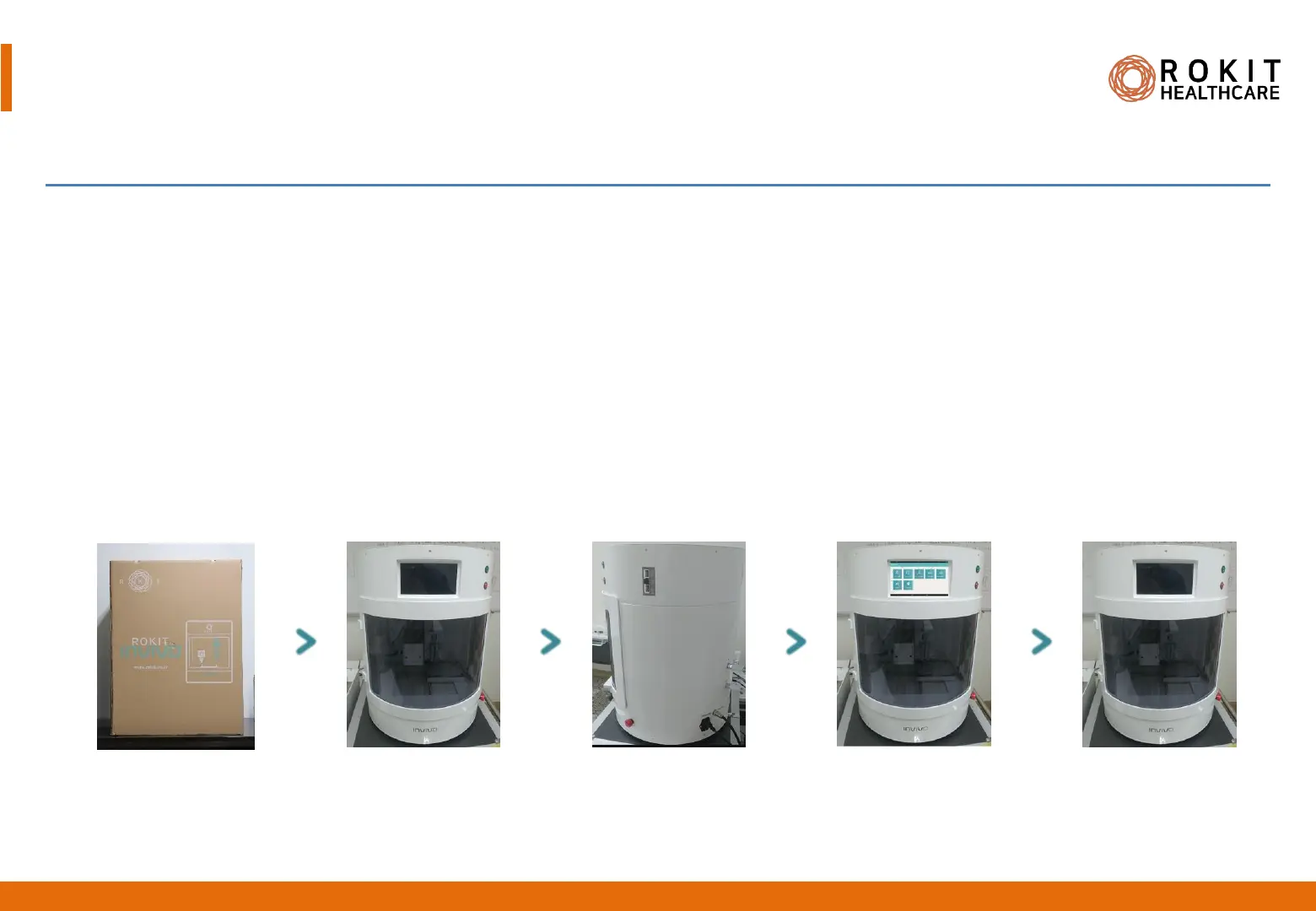
1. Unbox and place the Dr. INVIVO body on a level and unclustered surface.
2. Remove the shock absorber and cable ties inside of the equipment.
3. Fully insert the power plug into a grounded power outlet.
4. Turn on the power.
5. When the system boots, an Android logo appears. If operational, the NewCreatorK app would turn up on the LCD screen.
6. Turn off the power. Remember to keep the system turned off during installation and connection of accessory equipments
to the body.
Dr. INVIVO 4D Installation
Before removing package
After removing package
Power on
NewCreatorK on
Power off
Installation of INVIVO Body
14
INV-CHS-20191210
[Packaging specification
690 x 690 x 990, 48 kg]


 To Next Page