Confidential & Proprietary|© ROKIT Healthcare Inc. 2019. All Rights Reserved
Dr. INVIVO 4D User Guide
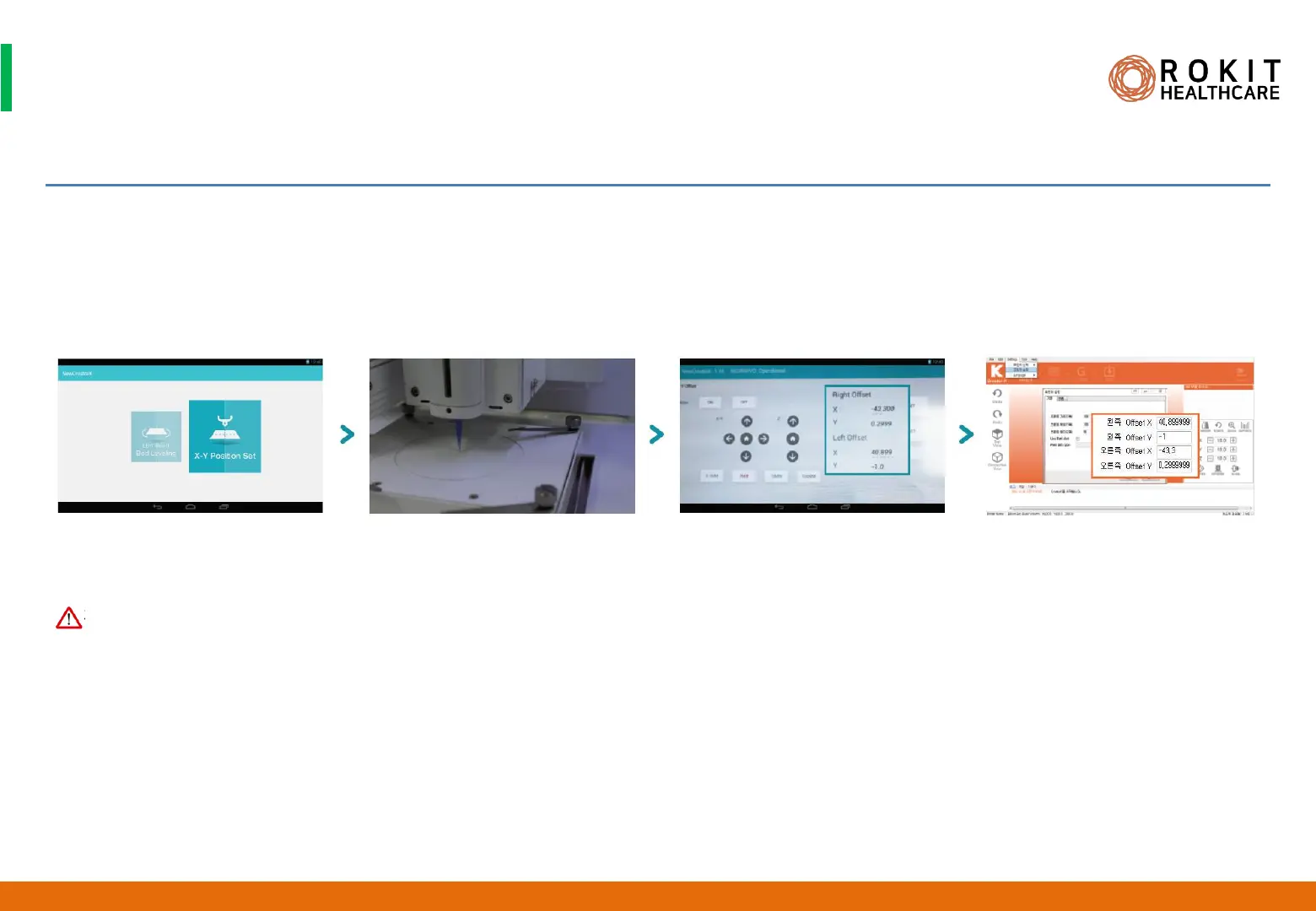
Setting the X-Y Position
1. Please click on the LCD display slowly. Clicking on LCD display repeated may lead to malfunction on the display.
2. When moving the bed in the X, Y direction, select among [0.1MM] [1MM] [10MM] to set distance first and click the arrow to move.
3. When doing dual printing , make sure to set the X-Y positions of the right and left nozzles as accurately as possible.
4. Start the X-Y Position Set only after confirming that right and left printheads and nozzles have been installed properly to the system,
5. Start the X-Y Position Set only after removing objects such as Petri dishes from the Dr. INVIVO bed. Petri dishes and nozzles (or needles)
may get hit and receive damage.
31
INV-CHS-20191210
CAUTION


 To Next Page
 Loading...