Confidential & Proprietary|© ROKIT Healthcare Inc. 2019. All Rights Reserved
FAQ
46
11. What troubleshooting steps should I take if a file is not getting printed?
1. Use the freeware Repetier-Host (https://www.repetier.com/download-now/) to evaluate that your g-code can be read.
2. Adjust key slicing parameters like the input flow, nozzle size, and layer height to make the material more amenable to printing.
3. Check whether the materials you are using are actually suitable for printing with Dr. INVIVO’s given specifications.
INV-CHS-20191210
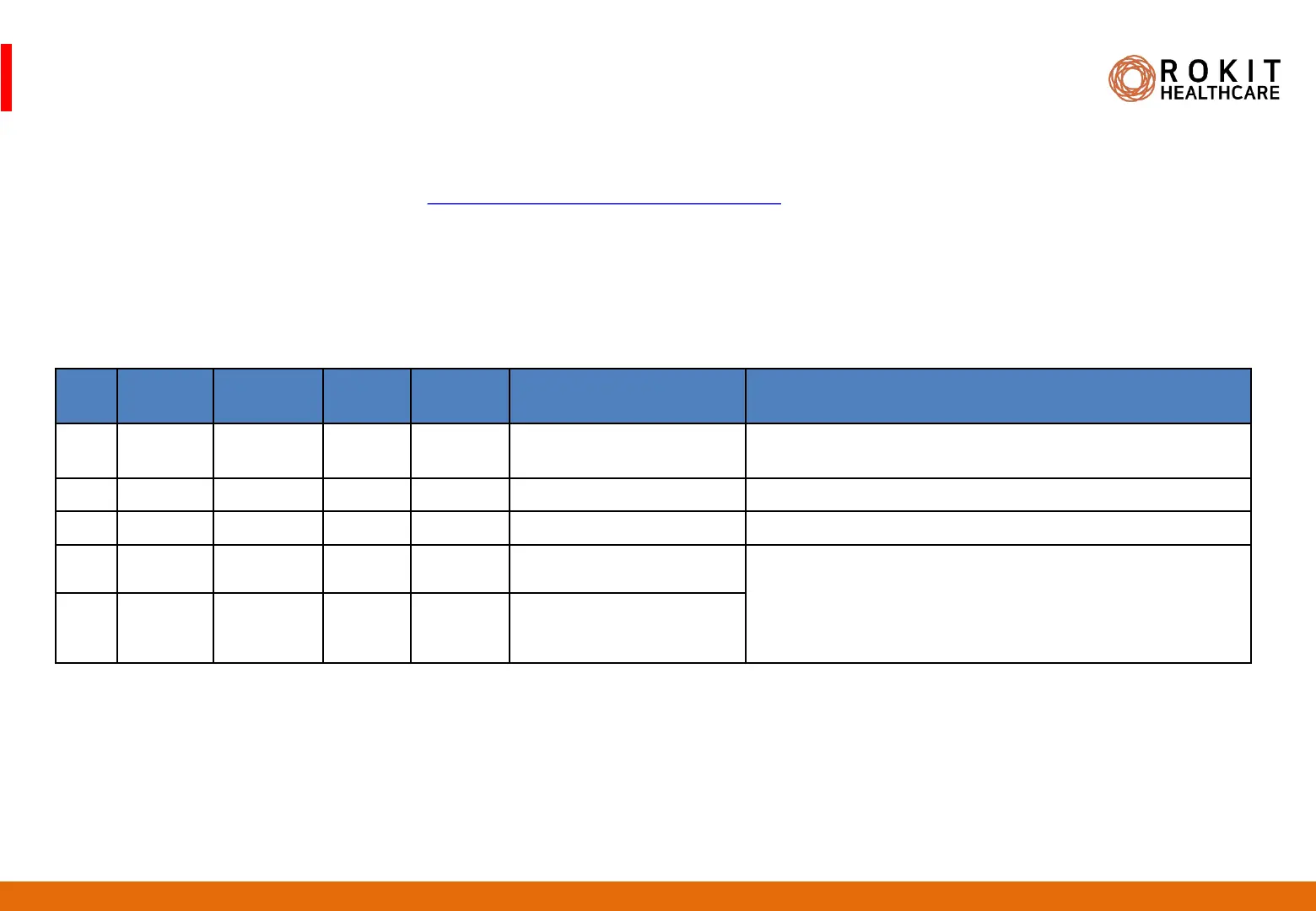
12. I’m running into trouble printing the following files? What are the reasons?
13. How can I troubleshoot the issues in #12 (above)?
1. Use an appropriate software to convert the ascii types to binary types.
2. Reduce the file size of 1.4G, 1.7G files using Meshmixer.
3. Reduce the object size of 70mm, 90mm to a size apt for dual printing.
4. Objects >= 90mm should be printed on a larger culture dish or glass plate (without walls).
No File
Name
File
Extension
File
Size
File
Type
Object Size Reasons for Trouble
1 mockup stl 1.3M ascii 20mm x 20mm x 20mm - ascii file types tend to have some lines omitted in
expression
2 F127 obj 1.4G obj 50mm x 70mm x 10mm - 1.4G is too large to be loaded onto INVIVO memory
3 Pcl stl 1000KB binary 10mm x 10mm x 10mm
4 테스트3! amf 1.7G amf 70mm x 90mm x 30mm - 1.7G is too large to be loaded onto INVIVO memory
- 70mm is too large to print in dual printing
- 90mm is too large to print on a culture dish
- File names cannot have non-alphabets and special
characters
5 테스트 gcode 1.7G gcode


 To Next Page
 Loading...