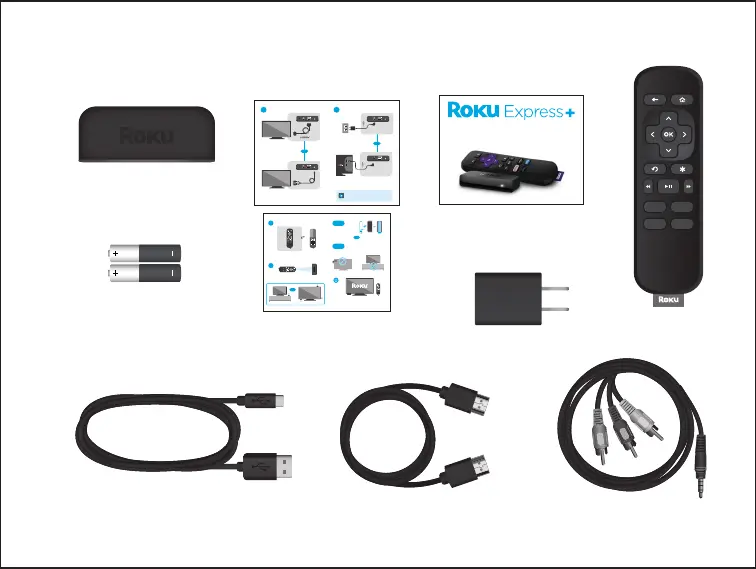
What’s included in the case:
Roku Express+
Streaming Player
USB Power Cable
High Speed HDMI® Cable
Power Adapter
Remote
Two AAA
Batteries
in Remote
Composite Cable
Setup Guide
Setup Guide
Two Laminated
Instructional Cards
OR
3
Finally, power on your TV, set the HDMI input (or A/V
input) to your Roku streaming player and press the Home
button on your Roku remote.
Insert the provided batteries into your remote, (-) negative
side ² rst.
OR
Use included adhesive strip
to attach player to your TV.
Don’t
Do
OR
Place your streaming
player next to your TV.
For best wireless connection
and to prevent overheating,
do not place inside cabinet.
Don’t place
behind TV.
4
OR
Remote must be within line of sight of your streaming player.
OR
OR
Or, connect with the included composite cable.
Or, connect the included USB cable to the USB port
on your TV. USB power may not work with all TVs.
Connect your Roku® streaming
player to your TV with the
included High Speed HDMI®
Cable or use your own cable.
For best start-up time, use the
included power adapter to
connect to a wall outlet.
1 2
RESET A/V OUT
RESET
A/V OUT
Composite
cable
RESET A/V OUT
USB
RESET
A/V OUT
If you see a red light on your Roku player then
the USB port on your TV is not providing enough
power. Use the power adapter instead.



 To Next Page