EasyManua.ls Logo

Roku Streaming Stick+ - Quick Start Guide Manual

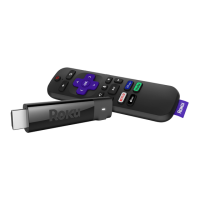
Roku Streaming Stick+
2 pages
Print Icon
To Next Page IconTo Next Page
Loading...
Quick Start Guide
+
1
OR
2
OR
What’s included Setup
STEP 1:
Connect to TV
HDTVs:
Plug your streaming
player into an HDMI®
port on your TV.
4K and HDR TVs:
To stream 4K or HDR,
choose an HDMI port
that supports HDCP 2.2.
For help determining
which port supports
HDCP 2.2, visit
go.roku.com/hdcp
STEP 2:
Connect to power
For the best streaming
experience, use the
included USB power
cable, power extender
cable and power adaptor
to connect your streaming
player to a wall outlet.
Doesn’t fi t?
Order a free HDMI
extender cable at
my.roku.com/HDMI
Or use the included
USB power cable to
connect to the USB
port on your TV.
NOTE:
See a red light on your streaming player? That means the
USB port on your TV is not providing enough power. Use the included
power adaptor instead. For help, visit go.roku.com/lowpower
Roku®
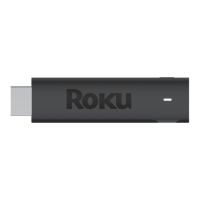
Streaming Stick®+
USB power cable
with long-range wireless receiver
Power
adaptor
Two AAA
Duracell® batteries
Remote
USB power
extender cable
Power and
status light
USB power
Reset
HDMI®
connector
USB
HDMI
USB
HDMI
USB
HDMI
FREE
USB
HDMI
Volume
Mute
Channel
shortcuts
Options
TV power
Instant replay
Voice
Features

Other manuals for Roku Streaming Stick+

Related product manuals