2 3 A
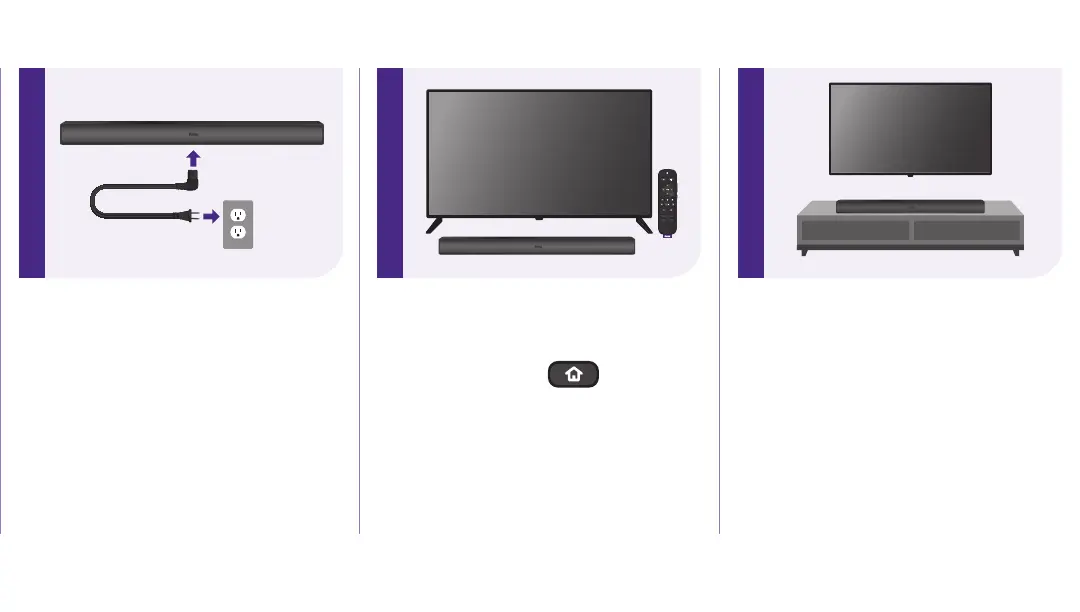
Placing your soundbar
Below your TV
Place your soundbar at the front
edge of your TV stand for the best
sound experience.
STEP 2: Connect your soundbar
to power
Plug in your soundbar using the AC
power cord and wait for the voice
prompt.
The LED light on the front of the
soundbar should illuminate.
STEP 3: Pair your soundbar
Using your Roku TV remote,
press and hold the button
for 5 seconds to enter pairing
mode. Choose Wireless soundbar
from the on-screen options and
select Continue to begin the
pairing process.


 To Next Page