EasyManua.ls Logo

Roland E-10 - Page 13

Roland E-10
54 pages
Print Icon
To Next Page IconTo Next Page
To Previous Page IconTo Previous Page
Loading...
MASTER
VOLUME
DEMO
SONG
The
keyboard
can
now
be
played
in
the
Full
Keyboard
mode
using
the
pre-selected
11
ELEC
PIANO
tone.
Make
sure
that
the
MASTER
VOLUME
slider
is
moved
to
the
central
position.
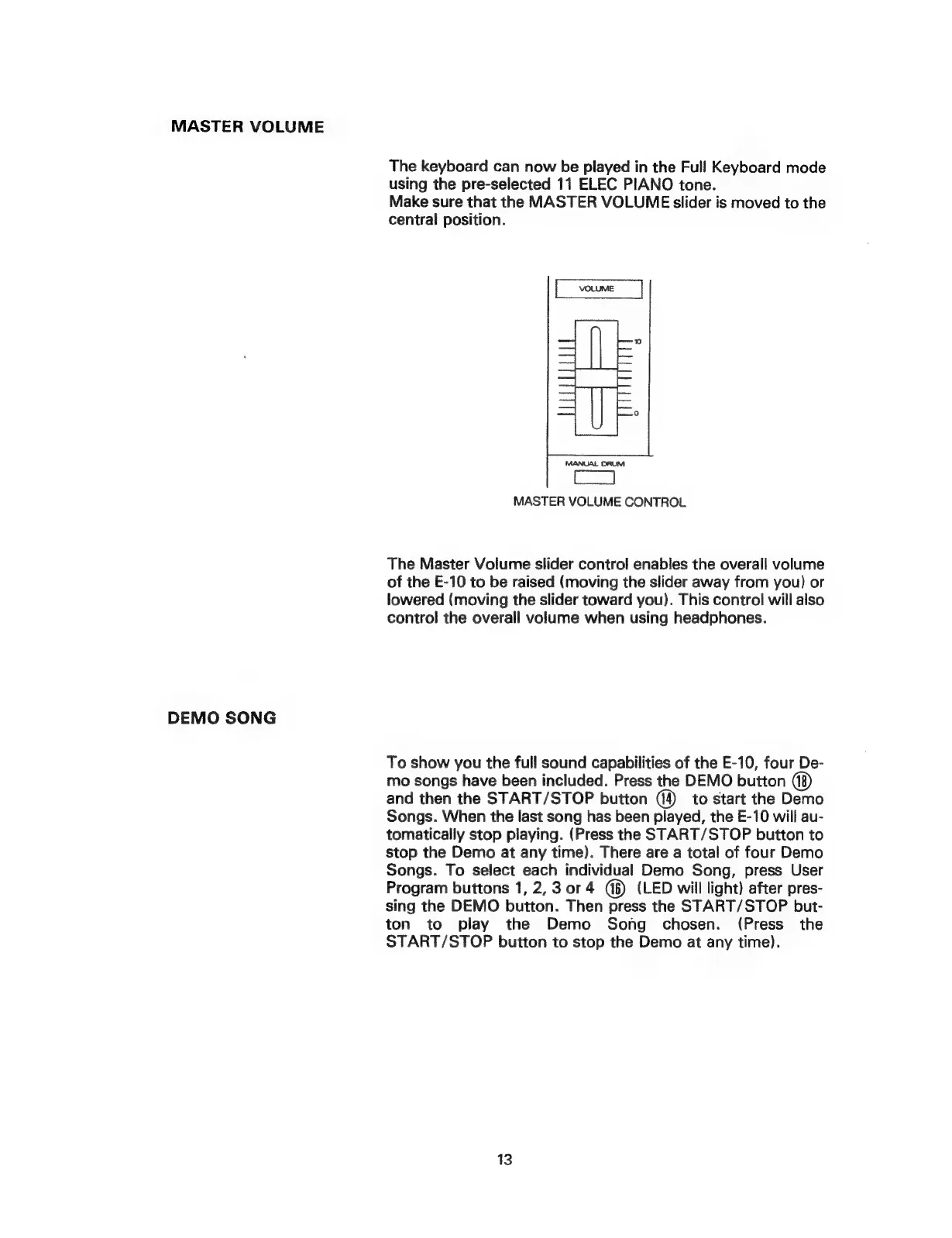
MANUAL
DRUM
MASTER
VOLUME
CONTROL
The
Master
Volume
slider
control
enables
the
overall
volume
of
the
E-10
to
be
raised
(moving
the
slider
away
from
you)
or
lowered
(moving
the
slider
toward
you).
This
control
will
also
control
the
overall
volume
when
using
headphones.
To
show
you
the
full
sound
capabilities
of
the
E-10,
four
De-
mo
songs
have
been
included.
Press
the
DEMO
button
and
then
the
START/STOP
button
to
start
the
Demo
Songs.
When
the
last
song
has
been
played,
the
E-10
will
au-
tomatically
stop
playing.
(Press
the
START/STOP
button
to
stop
the
Demo
at
any
time).
There
are
a
total
of
four
Demo
Songs.
To
select
each
individual
Demo
Song,
press
User
Program
buttons
1,
2,
3
or
4
(LED
will
light)
after
pres-
sing
the
DEMO
button.
Then
press
the
START/STOP
but-
ton
to
play
the
Demo
Song
chosen.
(Press
the
START/STOP
button
to
stop
the
Demo
at
any
time).
13