EasyManua.ls Logo

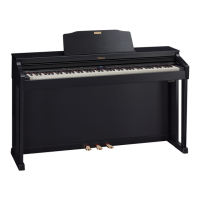
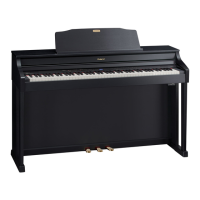
Roland HP503 - User Manual

Roland HP503
68 pages
Print Icon
To Next Page IconTo Next Page
Loading...

Table of Contents

Other manuals for Roland HP503

Questions and Answers

  • S
    Scott MolinaAug 8, 2025
    What to do if the recorded performance disappeared on my Roland Musical Instrument?
    • E
      erik07Aug 8, 2025
      If you switch off the unit’s power or select a song, your recorded performance will disappear, and there is no way to recover the lost performance. To prevent this, save your recorded performance in the internal memory or on a USB flash drive before turning off the power.
  • M
    Matthew ThomasAug 12, 2025
    Why does my Roland HP503 play sounds twice when I play the keyboard?
    • J
      Jimmy GilbertAug 12, 2025
      The unit might be in Dual play. Alternatively, when the unit is connected to an external sequencer, ensure the Local Control is set to off. If you are using a sequencer, check that its Soft Thru feature is also set to off.
  • B
    brittanyjohnsonAug 18, 2025
    What to do if only one instrument sound doesn't play on my Roland HP503 Musical Instrument?
    • K
      Katrina WuAug 18, 2025
      A part might be muted. If the button indicator is off, the music on that part is not heard. Press the part button so the indicator is illuminated.
  • K
    Kimberly WilsonAug 23, 2025
    Why does my Roland HP503 select the wrong instrument when I press the [E. Piano], [Strings], or [Other] button?
    • M
      Michelle DouglasAug 23, 2025
      The tone buttons [E. Piano] [Strings] [Other] also operate as buttons that select “Recommended Tones.” Connecting a commercially-available CD-ROM drive to the USB flash drive connector and selecting a song from a CD-ROM produced for the VIMA (VIMA TUNES) will automatically cause sounds appropriate for that song to be assigned to the [E. Piano], [Strings], and [Other] Tone buttons, so that you can select “recommended” sounds by pressing one of these buttons.
  • E
    elizabeth29Aug 28, 2025
    Why is sound still audible from a muted part on my Roland HP503?
    • C
      Cynthia SmithAug 28, 2025
      The part mute volume might be set to a value other than “0”. If you set this to “0,” the sound of a muted part will be completely inaudible.
  • J
    Joshua OrtizSep 2, 2025
    Why does reverberation remain on my Roland Musical Instrument even when the Ambience effect is off?
    • S
      Shannon TaylorSep 2, 2025
      The piano sound simulates the depth and resonance of an acoustic piano, which may create the impression of reverberation even if the Ambience effect is off. Try reducing the value set for “Cabinet Resonance” to eliminate some reverberation.

Summary

Piano Adjustment and Control

Adjusting Piano Features

Settings for touch sensitivity, reverb (ambience), and sound brightness (brilliance).

Operation Guide

Practice Functions

Using metronome, songs, AB repeat, and part mute for practice.

Panel Descriptions

Before You Play

Performing with Sounds

Tone Selection and Layering

Choosing single tones and layering two tones for dual play.

Keyboard Modes for Performance

Using split play, twin piano modes, and adjusting keyboard split points.

Practicing Features

Metronome and Tempo Control

Using the metronome, adjusting tempo, and adding count-ins.

Song Practice Tools

Playing built-in songs, adjusting balance, tempo, and muting parts.

Recording Your Performances

SMF Recording Process

Steps for recording, saving, and managing SMF performances.

Hand-Specific and Song Recording

Recording individual hands or playing along with songs.

Convenient Functions

Various Settings (Function Mode)

Troubleshooting Common Issues

Error Message Reference

Explanations of specific error codes and their meanings.

Main Specifications

Safety Precautions

General Safety Warnings

Instructions on usage, placement, handling, and electrical safety.

Important Notes

Assembling the Piano

Roland HP503 Specifications

General IconGeneral
BrandRoland
ModelHP503
CategoryMusical Instrument
LanguageEnglish

Related product manuals