Need help?
Do you have a question about the Roland W-30 and is the answer not in the manual?
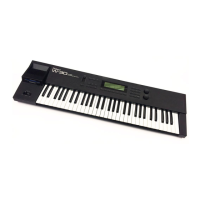
Highlights the W-30's ease of use with its advanced LCD display and user-friendly interface.
Details the W-30's integrated multi-track MIDI sequencer, offering extensive editing capabilities.
Focuses on the W-30's high-quality digital sampler, providing expanded sound parameters and editing functions.
Explains the substantial internal memory for storing Roland's high-quality wave data, used in many recording studios.
Describes the W-30's ability to create sounds while simultaneously playing songs and performing edits.
Details the 61-key keyboard's velocity and aftertouch sensitivity for dynamic tone and volume control.
Explains the W-30's compatibility with sound and sequencer data from Roland S-550, S-330, S-50, MRC series.
Covers connecting external hard disks and CD-ROM drives for expanded song and sound data storage.
Essential advice on electrical safety, avoiding unauthorized service, and preventing water damage.
Instructions for optimal unit placement, avoiding interference, overheating, and moisture.
Guidance on cleaning the unit using soft cloths and avoiding abrasive cleaning agents.
Advice on unit protection, heat management, and ensuring proper grounding for safe use.
Details on connecting the W-30 to amplifiers, recorders, headphones, and mixers for audio output.
Information on the included system disk and data disks containing sounds and song demos.
Procedure for powering on the W-30, including pre-operation checks and system disk insertion.
Instructions for creating a backup of the system disk to prevent data loss and ensure system integrity.
Guide to playing the W-30, covering patch selection, velocity, aftertouch, and Bender/Modulation lever.
Instructions for using the sequencer, including loading data, playing songs, and tempo adjustments.
Explains the W-30's core components: Keyboard, Sequencer, and Sound Module, and their MIDI connectivity.
Details the sequencer's features, its distinction from multi-track recorders, and its operational capabilities.
Covers sound data, samplers, PCM recording technology, and the Roland DI System for audio processing.
Illustrates how the Keyboard, Sequencer, and Sound Module interact, including MIDI interface usage.
Explains system data, various configuration settings, and their overall impact on W-30 operation.
Details the W-30's internal memory, system/sound data storage, and compatible disk types.
Overview of the three main operating modes: Performance, Sequencer, and Sound, with their functions.
Guides through the W-30's interface, including display layout, screen selection, and cursor navigation.
Instructions for controlling overall, part, patch, and tone volumes across different W-30 modes.
Explains how to route sound outputs to various sockets for individual parts or mixed signals.
Details on Voice Fix and Voice Auto modes for managing the W-30's 16 voices across its 8 parts.
Covers master tuning, octave shifts, pitch bend, and fine tuning for precise pitch control.
Steps for changing patches via keyboard, sequencer, or MIDI program change messages.
Comprehensive guide to creating and editing sound data, including patches, tone parameters, and LFO.
Detailed instructions for recording, re-recording, micro-editing, tempo changes, and song data checks.
Procedure for saving internal song and sound data onto a floppy disk for backup or transfer.
Information on connecting and assigning functions to external pedals like sustain and expression pedals.
Guidance on loading and utilizing song/sound data from other Roland models like S-550, S-330.
Details on saving W-30 data into formats compatible with other Roland instruments.
Instructions for connecting and operating external MIDI sound modules and controllers with the W-30.
Covers saving system configurations, formatting floppy disks, and copying disk contents.
Detailed explanation of parameters and commands within the Performance Mode for tone, pitch, and system settings.
Description of parameters and functions in Sequencer Mode, covering song setup, metronome, and MIDI.
Explanation of parameters and settings in Sound Mode, focusing on Part Set, Voice Modes, and MIDI parameters.
Reference table for system, song, and sound data parameters and their corresponding screen locations.
List and explanation of common error messages, their causes, and troubleshooting steps.
Guide to resolving issues like no sound, MIDI connectivity problems, and incorrect patch settings.
 General
| Polyphony | 16 voices |
|---|---|
| Sampler | Yes |
| Sequencer | Yes |
| Multitimbral | 8 parts |
| Effects | Chorus, Reverb |
| Keyboard | 61 keys |
| MIDI | In, Out, Thru |
| Display | LCD |
| Weight | 12.5 kg |
| Year Released | 1989 |
| Type | Workstation |
| Sound Engine | Digital |
| Synthesis Type | Sample based |
| Storage | 3.5" floppy disk drive |
| Outputs | Stereo output |

 To Next Page