42
ENGLISH
Operation
Waterproof Case –
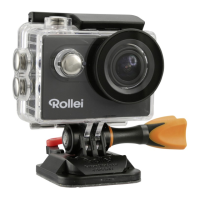
Insert Camera into Waterproof Case
1. Ensure the case is clean.
2. Insert the camera and make sure the lens fits neatly in the lens
cavity.
3. Close the locking clamps.
4. The camera can be mounted using the accessories provided.
Battery
Before using the unit for the first time, you must fully charge the
battery.
Charging the Battery
1. Connect the camera to a computer or USB power adapter
(5.0 V 1.0 A).
2. The charging indicator light will flash while the battery is char-
ging.
3. The charging indicator light will stay on when the battery is fully
charged.



 To Next Page