Romet Clarity User Manual
BATTERY
9. Check the battery level
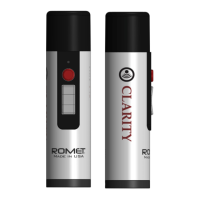
While the device is turned ON, press Activator Button to begin speech.
LED will light up.
GREEN – Battery is charged ready to
operate @ 100%)
RED – Battery is below 25%. The LED
will continue to glow in red after each
button press, to remind you to charge
your device.
When the battery gets critically low, the device will stop producing
sound, and the LED will blink in red after each press of the talk
buttons. This will ensure that there will be no damage to the battery
and will keep the battery healthy.
NOTE: It is recommended to charge your device when the indicator LED
lights up in RED. This will make keep the battery life and you will have
plenty of charge, and the battery stays healthy.
Note: If you find that the battery in your device can not hold a charge
for more than one hour of use, there is a possibility that the integrated
battery is near the end of its life cycle. If this happens during or outside
the included warranty period, please contact your local distributor or
Romet at
http://www.romet.us support@romet.us
10. Charging the battery
To charge the device plug the provided USB cable into the USB port at
the bottom of the device.
Plug the other end of the provided USB cable
into the provided USB charger and plug the charger into an electrical
socket. Keep in mind that the device will not work while it is charging.
This is a safety measure to prevent any damage to the device.
6


 To Next Page