6
[2] HOLD ON
This forces the mod wheel to remain at the point you take your finger off it, which is like a standard mod-
wheel without a spring.
MANUAL + [12] [1] thru [3]
Allows you to adjust the chorus noise, as simulated from the original Juno 106.
[1] NOISE OFF. Turns off the simulated chorus noise.
[2] HALF. Turns on the simulated chorus noise but sets it to half-volume.
[3] ORIGINAL JUNO CHORUS. This is the default Juno 106 chorus with noise.
MANUAL + [13] [1] thru [13], [16]
Specifies the Pitch Bend range in semitones.
[1] thru [12] 1 thru 12 semitones, with a default of [2]
[13] 2 Octaves
[16] OFF
MANUAL + [14] [1] thru [16]
Adjusts the delay level applied to the patch. [1] is no delay, and [2] thru [16] adjust it incrementally for a more
pronounced effect.
MANUAL + [15] [1] thru [16]
Adjusts the delay time applied to the patch in incremental adjustments of [1] thru [16]. Note that this delay time
refers to the length of time before the delay takes effect, not how long the delay effect is.
MANUAL + [16] [1] thru [16]
Adjusts the delay feedback applied to the patch. [1] is no feedback, and [2] thru [16] adjust it incrementally for a
longer delay.
The step sequencer lets you input notes in up to 16 steps, and then play the notes back in a repeating loop. The
number of steps can be adjusted from 1 to 16, and a maximum of 16 individual patterns can be stored.
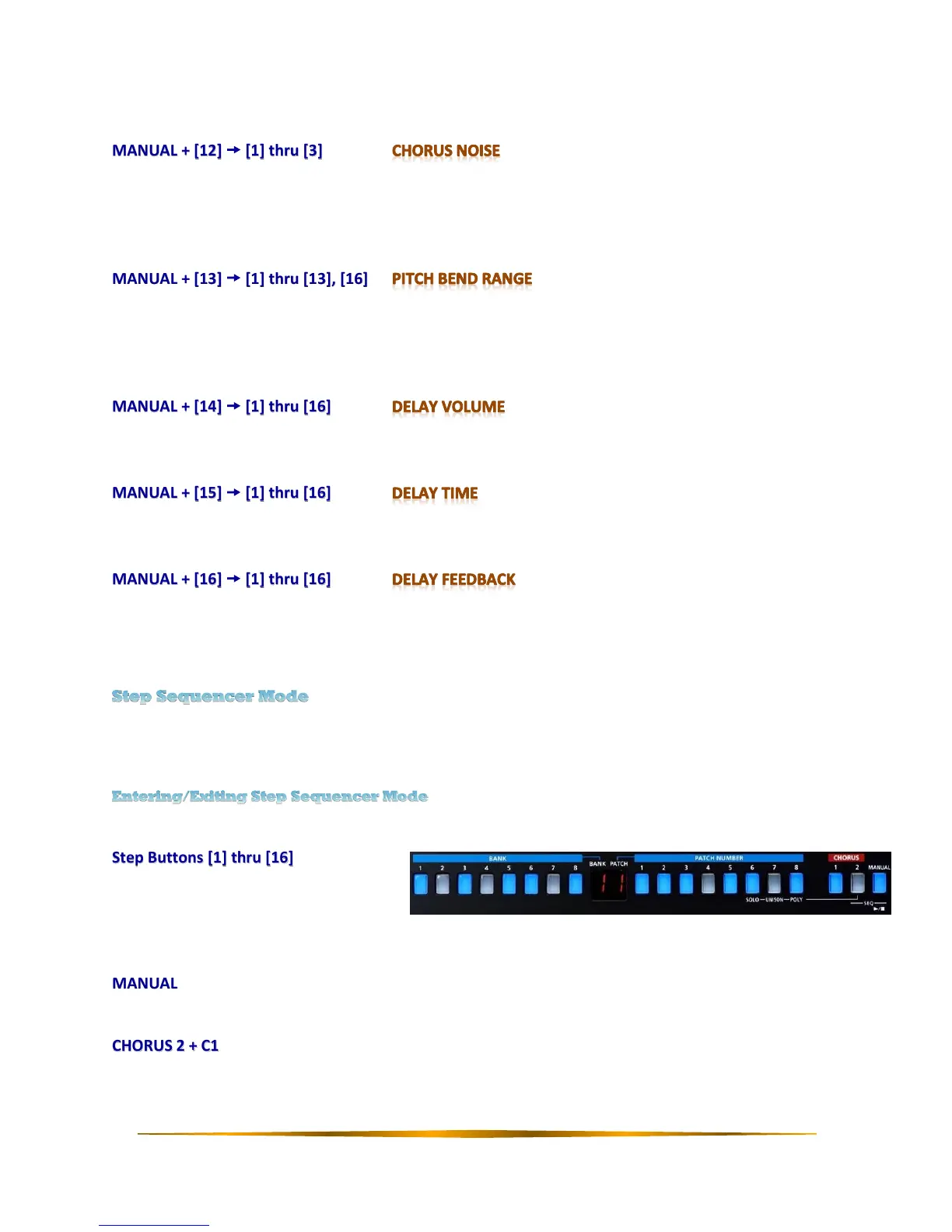
Press both the CHORUS 2 and MANUAL buttons (SEQ) simultaneously to enter or exit step sequencer mode.
Step Buttons [1] thru [16]
In Step Sequencer mode, the BANK and
PATCH NUMBER buttons represent the
16 steps of the sequencer. While in this
mode, the following button press options are available:
MANUAL
Starts and stops playback of the sequence.
CHORUS 2 + C1
Sets the tempo of the playback sequence. Up on the C1 ribbon controller is faster and down is slower.


 To Next Page
 Loading...