IS2100-M Generation 2
Installation, Program & Operation Manual
www.rontan.com.br REV 1 Page
4 – Handheld Control Head
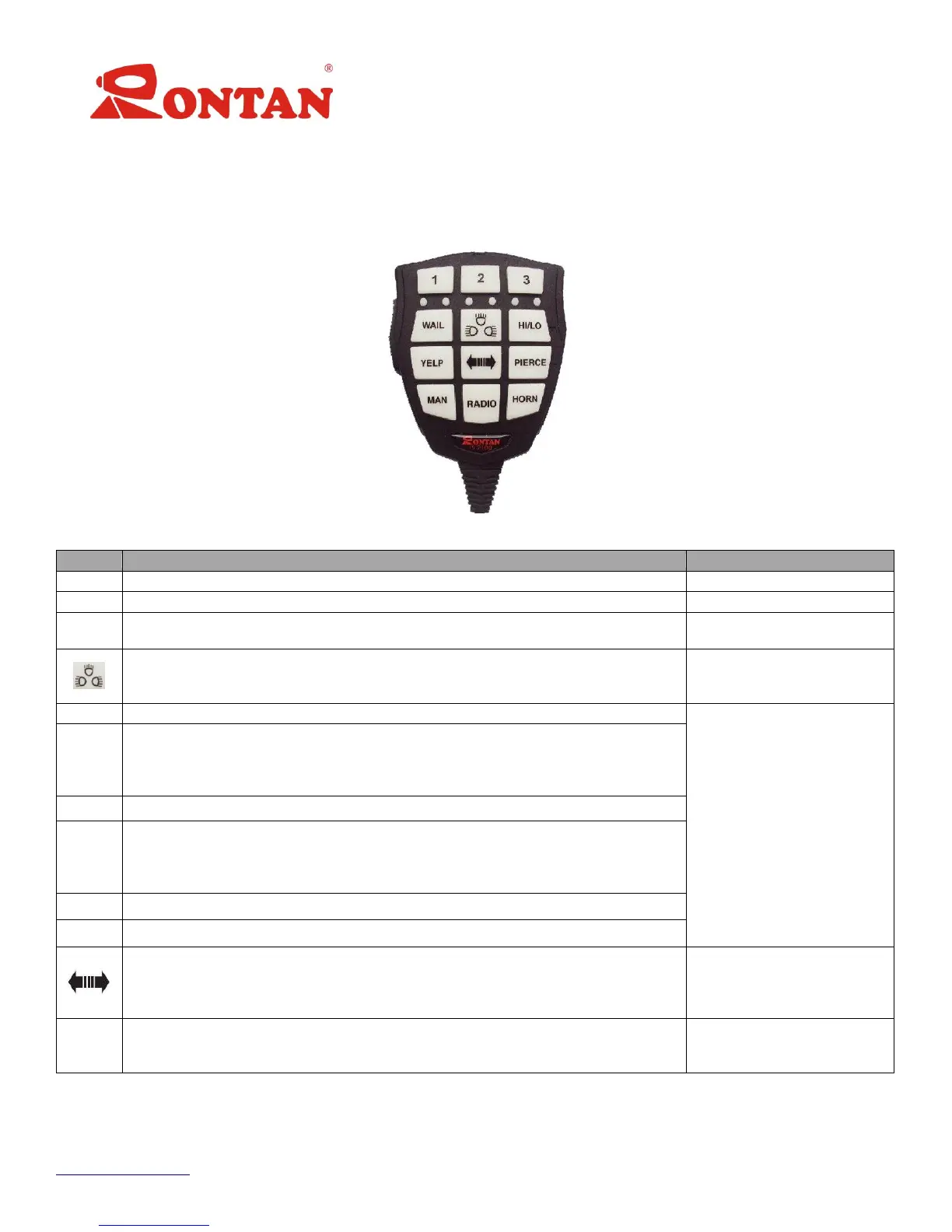
The Remote Control Head (Figure 1) is equipped with a microphone PTT and keyboard functions,
composed of twelve keys of temporary or permanent activation according with each function, through
which the user controls the functions of the equipment.
Figure 1: Remote Control Head
Activates the lightbar in mode SL1
Activates digital output 1
Activates the lightbar in mode SL2
Activates digital outputs 1 & 2
Activates the lightbar in mode SL3 and the WAIL button
Activates digital outputs 1, 2
& 3
Activates the service lights: 1-Take Down 2-Alley l, 3-Take down and Alley y 4-
OFFdeactivates the service lights. Pressing the button for more than 1 second
interrupts the sequence immediately.
Activates digital output 4
Activates the Siren tone WAIL and Hands Free function
Activates the siren tone HI-LO and Hands Free function.
Second Function: Pressing the button for more than 1 second , the microphone
audio level (refer to page 7) or of the Radio (refer to page 9) or the intensity of
the l backlight (refer to page 8 ) increases
Activates the siren tone YELP and Hands Free function
Activates the siren tone PIERCE and Hands Free function
Second Fuction: Pressing the button for more than 1 second, , the microphone
audio level (refer to page 7) or of the Radio (refer to page 9) or the intensity of
the l backlight (refer to page 8) lowers
Activates the Siren Tone Manual
Activates the Siren Tone Air-Horn
Activates sequentially the directional traffic lights:
1-Left, 2-Central, 3-Right, 4-Warning and 5-OFF deactivates the directional traffic
lights. Also activates the digital output 5. Pressing the button for more than 1
second interrupts the sequence immediately.
Digital output on the Rontan
lightbar and digital output 5
Amplifies the radio audio in the siren output.
Second Function: Pressing the button for more than 1 second activates the digital
output 6.
Siren output and digital output
Table 1: IS2100-M G-II Description and Functions


 To Next Page
 Loading...