Need help?
Do you have a question about the Room essentials dpci 249-05-0297 and is the answer not in the manual?
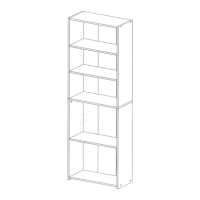
Lists available bookcase finishes (Espresso Brown, White, Black) and their DPCI numbers for identification.
Provides pre-assembly advice including checking for parts and using the carton as a work surface.
Illustrates and lists the essential tools required for the bookcase assembly process.
Highlights critical safety information regarding furniture tip-over hazards and potential chemical exposure.
Details the maximum weight capacity per shelf and provides instructions for cleaning the bookcase.
Identifies all standard and anti-tip hardware components required for assembly.
Lists and visually identifies all the individual parts of the bookcase.
Offers helpful advice such as protecting work surfaces and hand-tightening screws.
Install wooden dowels into the designated pre-drilled holes on the bookcase panels.
Install cam fittings into the pre-drilled holes on the relevant bookcase panels.
Connect the bottom panel (G) to the side panels (C) and (D) using screws.
Connect the top panel (G) to the side panels (A) and (B) using screws.
Attach the central panel (L) to the side panels (A) and (B) using screws.
Insert assembly dowels (H9) into the pre-drilled holes on the central panel (L).
Secure the central panel (L) to the side panels (C) and (D) using cams.
Position the back panels (E) and (F) onto the rear of the assembled unit.
Verify the correct alignment of back panels (E) and (F) before final attachment.
Nail the back panels (E) and (F) using nails (H4) and iron plates (H10).
With assistance, carefully stand the assembled bookcase unit upright.
Cover screwheads with screw cover Ø15 (H6) and camheads with screw cover Ø20 (H7).
Insert shelf pins (H3) and position the shelves (H) onto the pins.
Fix the L-bracket (H11) to the top of the unit using a washer and screw.
Drill holes and insert wall anchors appropriate for the wall type (wood, masonry, cavity).
Attach the unit to the wall by securing the bracket with screws into the wall anchor.
 General
| Brand | Room essentials |
|---|---|
| Model | dpci 249-05-0297 |
| Category | Indoor Furnishing |
| Language | English |

 To Next Page