2. Use the HDMI port to connect to an audio/video receiver (AVR) or other
multichannel HDMI device
3. Most Popular: Stream over your network. Nucleus supports many networked
audio devices like Airplay, Sonos, 100s of Roon Ready products, and devices with
legacy streaming protocols from Devialet, Meridian, Squeezebox, and KEF
Storing your music files
You can use Nucleus with any or all of these storage strategies:
1. Connect an external hard disk drive (HDD) or solid state drive (SSD) via USB
2. Install an optional internal HDD (up to 2TB in size) or SSD (up to 8TB in size)
3. Store your files on a network attached storage (NAS) device
4. Connect your TIDAL or Qobuz accounts and import your favorites
What's in the box?
1 Nucleus or Nucleus+
Quick Start Guide
1 Power supply (to be connected to Nucleus)
1 Power cord (to be connected to the power supply)
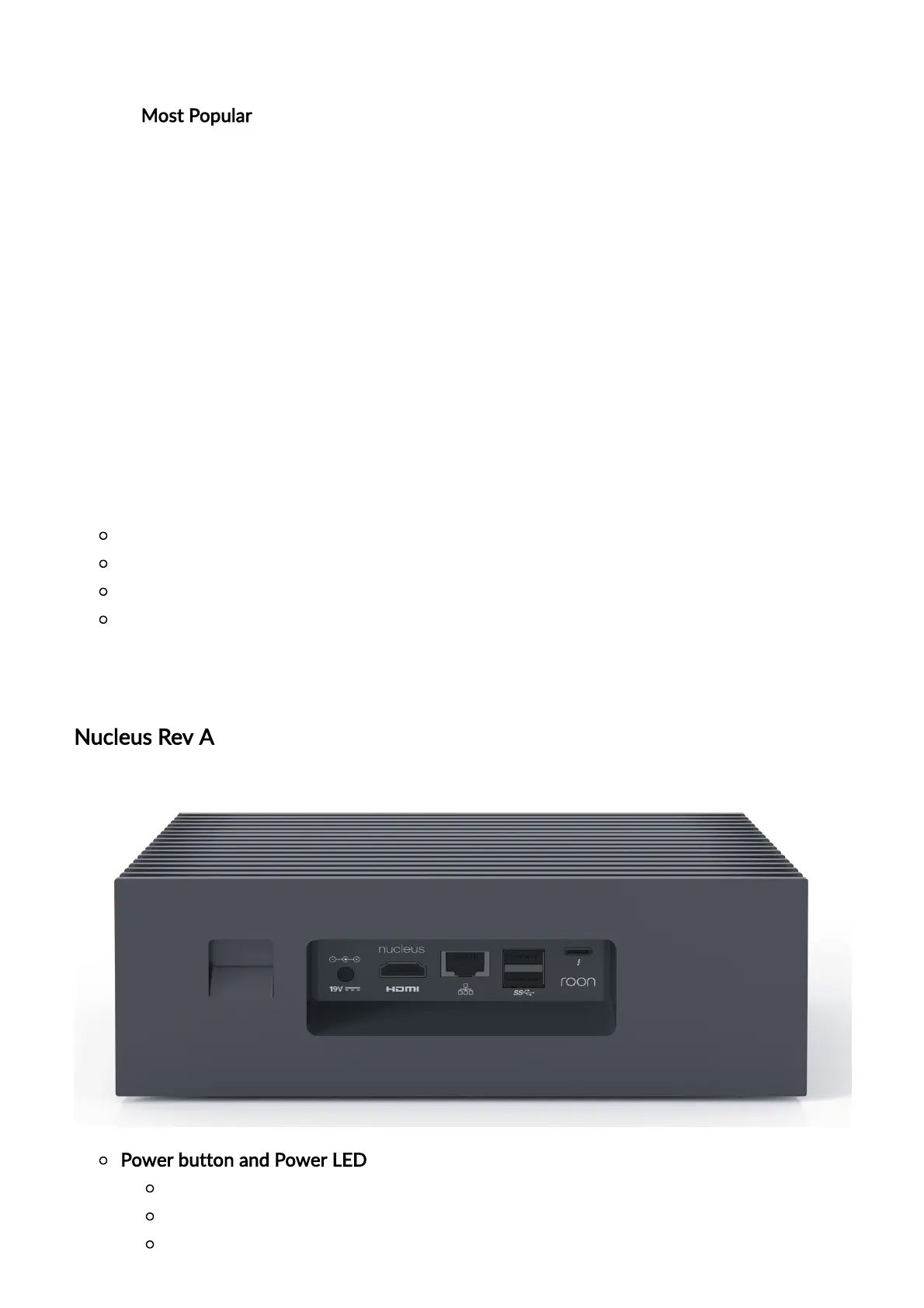
Device Details & Back Panel Layout
Nucleus Rev A
Power button and Power LED
Press the power button once to turn on the unit or initiate a clean shutdown.
A dim white LED will be lit when the unit is powered on.
Hold the power button for 4 seconds to hard power off.


 To Next Page