10
Starting your washer
(models with Temperature
Selector in Cycle Control Knob)
1. Add measured detergent to the
washer. Then place a sorted load of
clothes in the washer.
• Sort and load clothes as described on
pages 17-18. You may load clothes to
the top row of basket holes.
• If desired, you may also add color
safe bleach.
2. Close the washer lid.
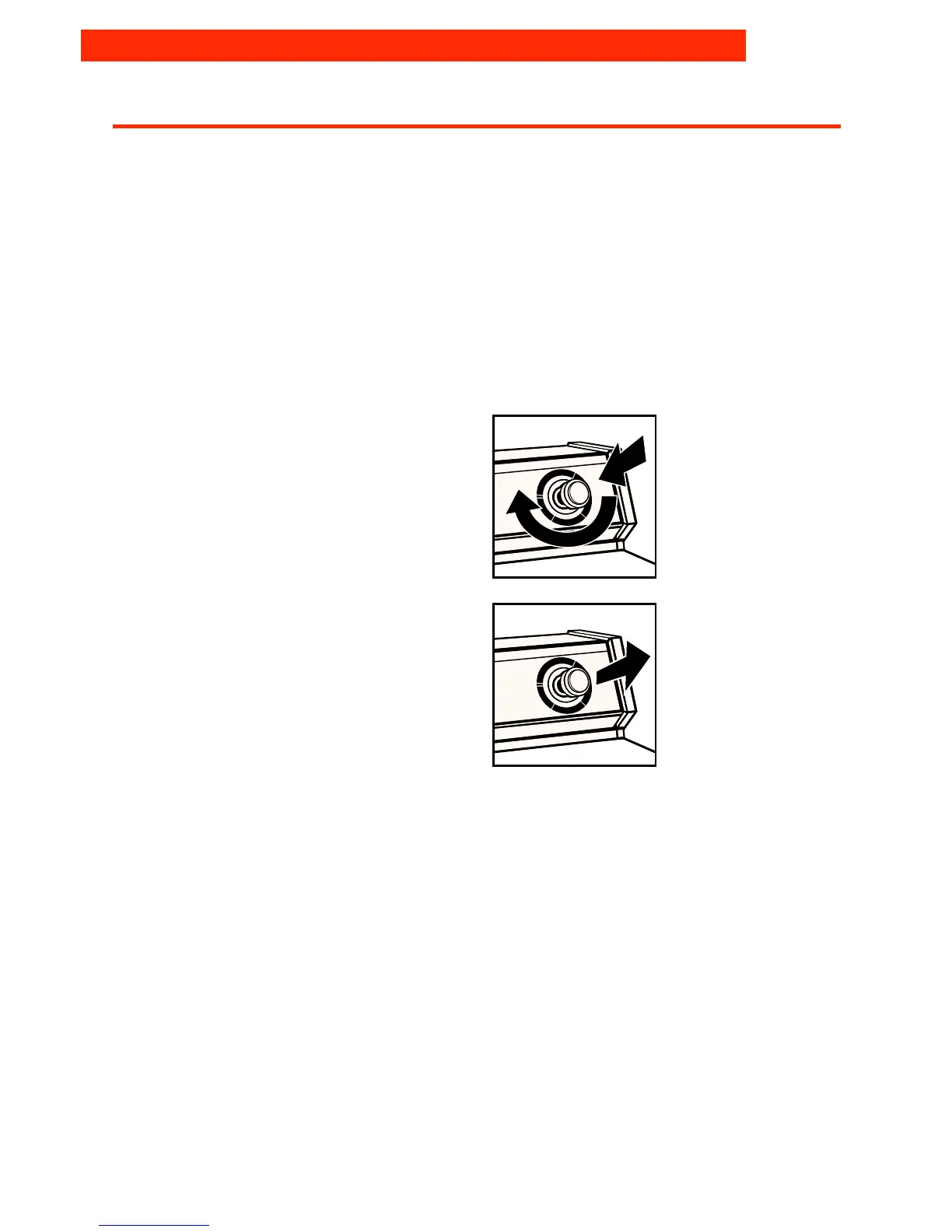
3. Push in the Cycle Control Knob and
turn it clockwise to the wash cycle
you want. See page 11.
4. Pull out the Cycle Control Knob to
start the washer.
5. (OPTIONAL STEP) If desired, add
measured liquid chlorine bleach
after the washer starts agitating.
See page 14.
6. (OPTIONAL STEP) If desired, add
measured liquid fabric softener to the
final rinse water. See page 15.
OPERATING YOUR WASHER



 To Next Page