20 Rose Point Navigation Systems
Troubleshooting
Reset
The Gateway may be reset to factory default settings, excluding firmware.
Conducting Reset
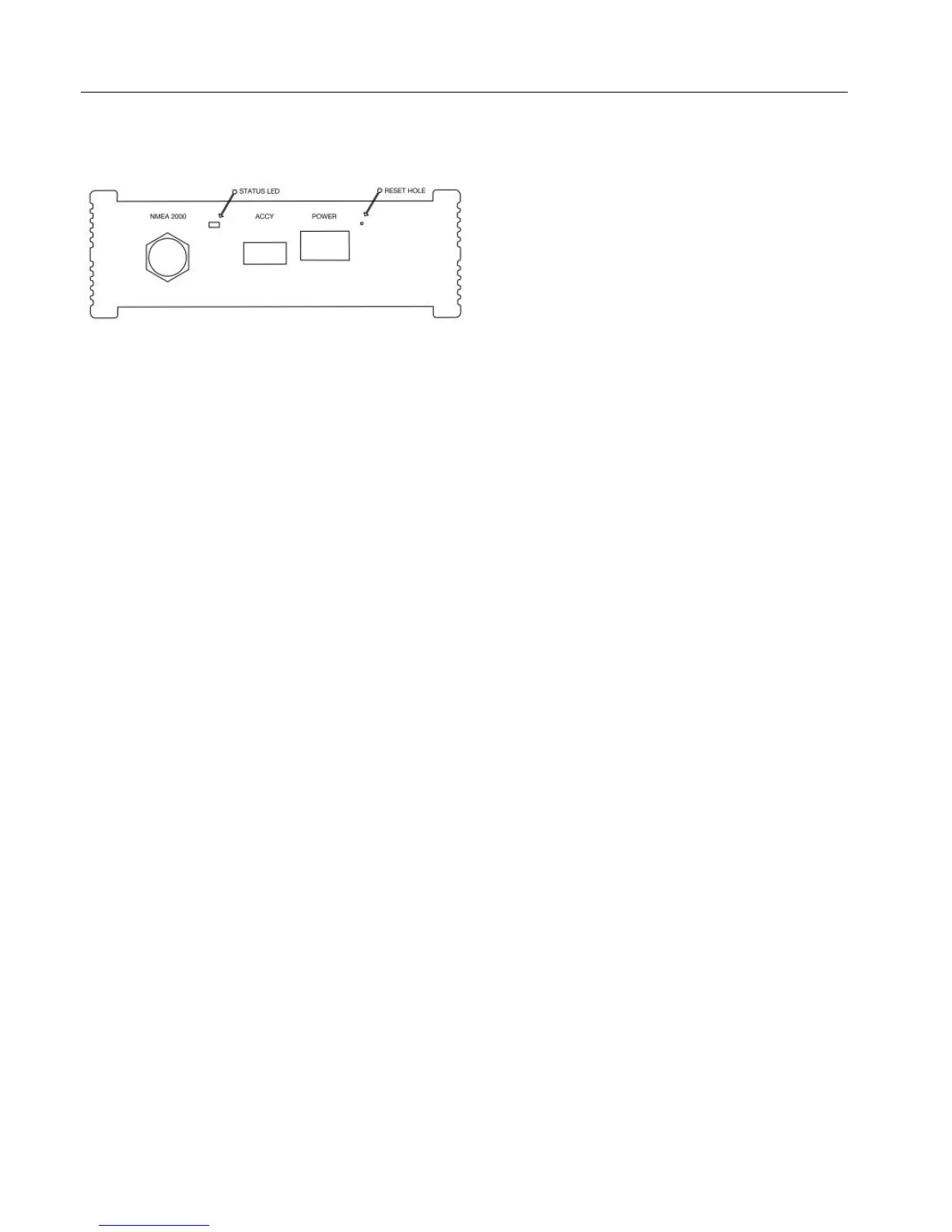
Ensure the power is off or unplugged and then using a pointed object, lightly
depress the button inside the unmarked small round hole near the POWER port
(you will feel it click). While pressing the reset button, apply power to the Nemo
Gateway.
Once power is applied wait until the Diagnostic LED flashes rapidly, oscillating
between green and red. Once Diagnostic LED oscillating starts; release reset
button.
The device will reboot and all settings, apart from the firmware version, will be
reset to factory defaults. This will also reset the security password if it has been
enabled.
Firewall
If using our PC based navigation system and the Nemo is discoverable but no
data is being received, make sure that Rose Point ECS and Coastal Explorer are
permitted through the system’s firewall.


 To Next Page