PAGE 8
Rositek Technologies
www.rositek.com
© 2021 Rositek
All rights reserved
Email: support@rositek.com
USER GUIDE AND TROUBLESHOOTING -- RMP2
OPERATING INSTRUCTIONS (continued)
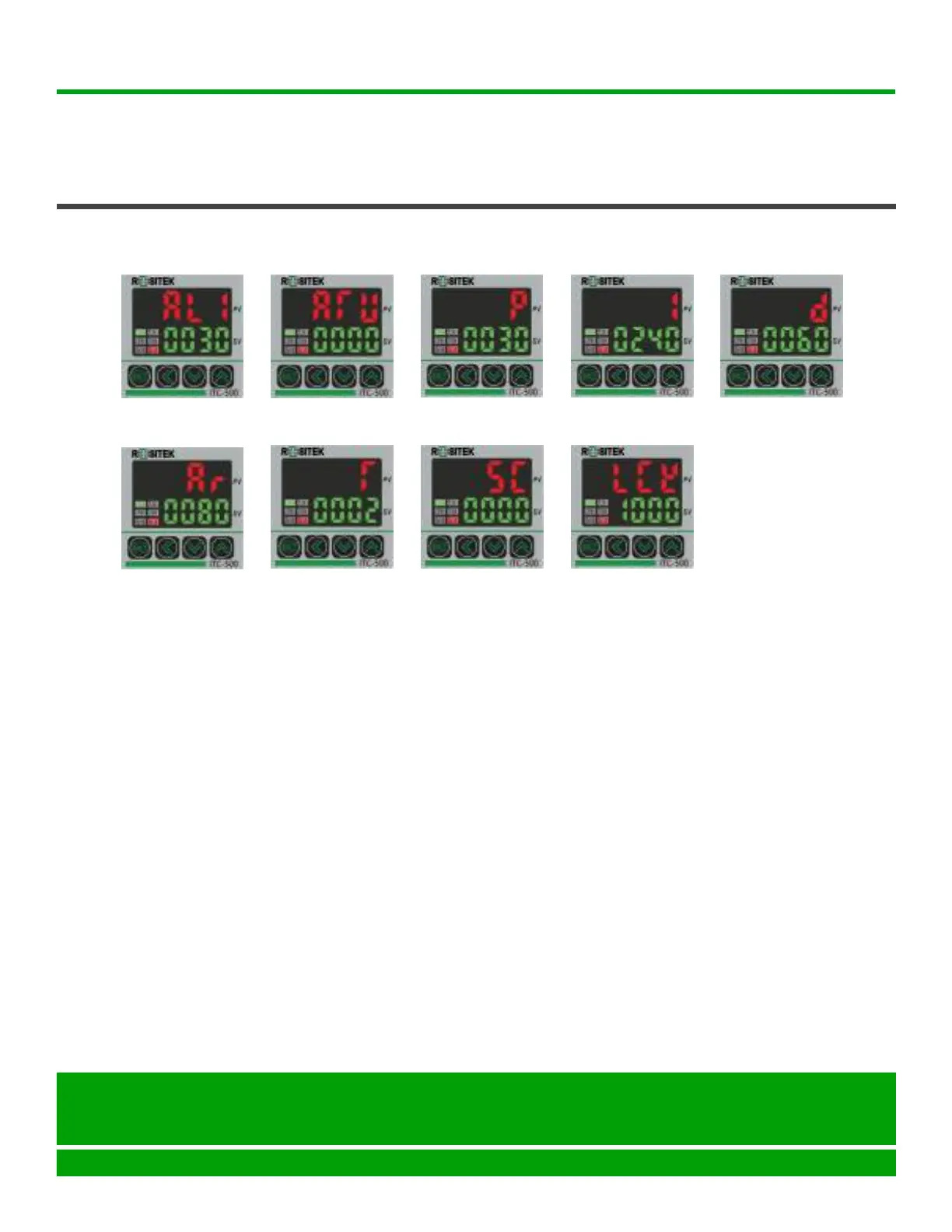
PID DEFAULT PARAMETERS FOR RMP2
AL1=0030 ATU=0000
d=0060
P=0030 I=0240
5C=0000
T=0002 LCk=1000
Ar=0080
Tips: We do not recommend changing the internal parameters, it will cause a lot of problems.
Once a problem occurs after the modification, please set the default setting back as below
steps:
1. Hold the "SET" key over 5 seconds to activate the controller.
2. Press the "SET" again to switch parameters.
3. Press the "SHIFT" key to switch between the hundreds, tens, and ones place.
4. To set the parameter with the key of " down" or "up".
5. Please ensure all parameter is the same as above value.
6. Hold the "SET" key over 5 seconds to exit the setting mode.


 To Next Page