Need help?
Do you have a question about the Rotadent Contour and is the answer not in the manual?
DANGER: To reduce the risk of electrocution. Follow safety guidelines.
WARNING: To reduce the risk of burns, electrocution, fire or injury to persons. Follow guidelines.
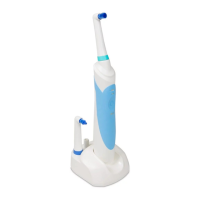
Align the front of the brush head with the front of the handle and press firmly until it clicks.
Charge the Rotadent Contour for 24 hours before initial use. Charging light will illuminate.
Recharge the power handle when the brush power level decreases noticeably.
Rotadent Contour uses a rechargeable NiMh battery, sealed for safety. No risk of overcharging.
Rotadent Contour offers two modes: Clean (superior cleaning) and Gentle (sensitive gums).
Features a two-minute quad-timer with pauses at 30, 60, 90, 120 seconds for even brushing.
Use a tooth-by-tooth technique, holding the brush at a 90-degree angle to the gum line.
Cleans large surfaces and under the gum line, holds medicament for application.
Cleans and polishes, effective around braces.
Best for large spaces, orthodontics, fixed bridges, or periodontal patients.
Power handle and charger warranted for four years if registered and maintained per instructions.
Register your Rotadent Contour at www.rotadentwarranty.com for coverage and updates.
Submit warranty claims at www.rotadent.com/z_rotadent_warranty. An RMA number is required.
Contact customer service via phone 1-800-4DENMAT or email customerservice@denmat.com.
Register within 30 days for a one-year warranty; failure to register limits it to one year.
 General
| Brand | Rotadent |
|---|---|
| Model | Contour |
| Category | Electric Toothbrush |
| Language | English |

 To Next Page