4 English
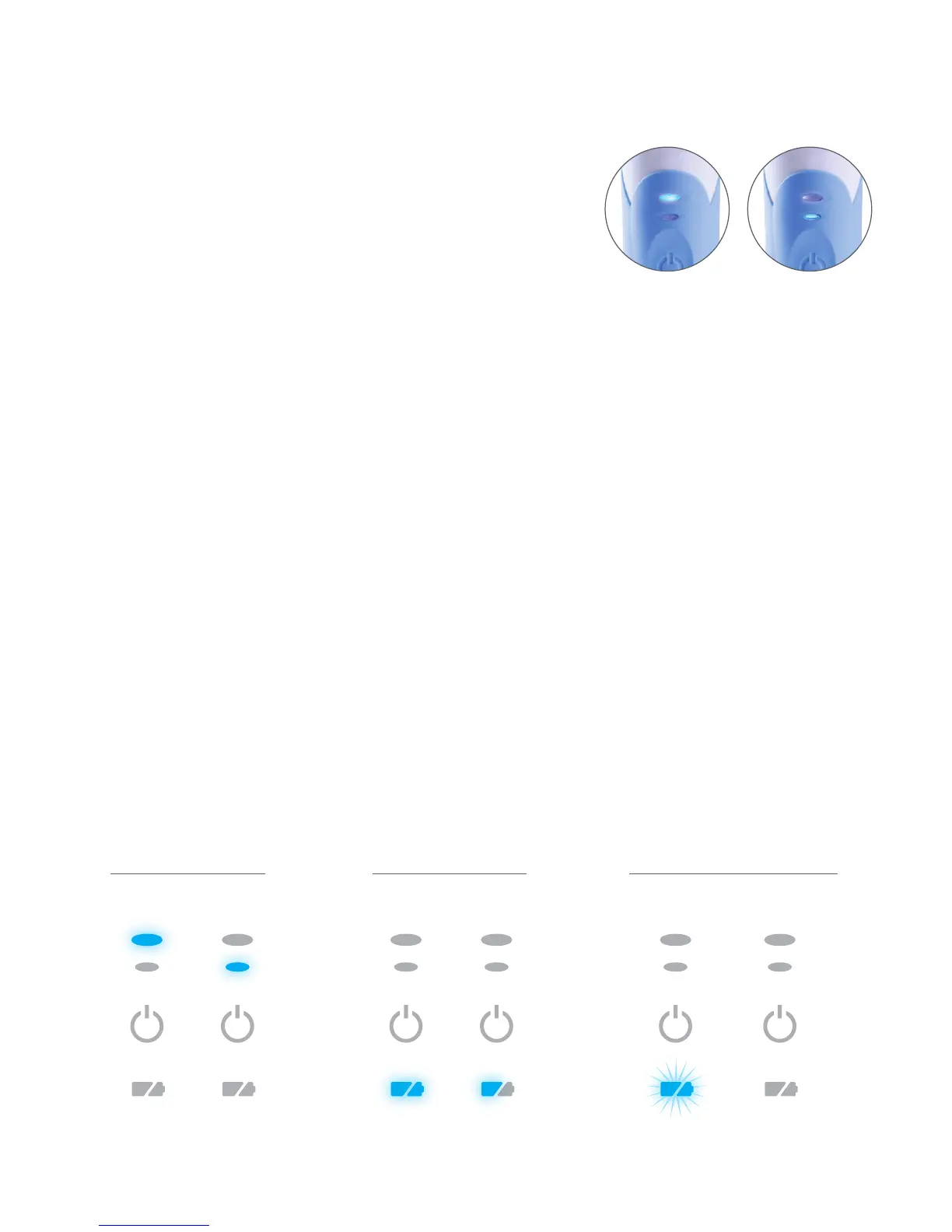
Normal Slow
Brushing with Rotadent ProCare
Brushing Modes
The Rotadent ProCare offers two different brushing modes
to suit your comfort level:
• Normal — Recommended mode for superior
teeth cleaning.
• Slow — Provides gentle and thorough cleaning for sensitive
gums and teeth at a reduced speed.
Changing Speeds
• When pressing the on/off button, your brush automatically starts in Normal mode, which is
indicated by the larger LED light.
• To switch to Slow mode, press the on/off button again until the smaller LED light becomes
illuminated.
• To turn your brush off, press the on/off button. If the Rotadent ProCare has been running at either
speed for more than 30 seconds, the next press of the on/off button will turn the unit off. If it has
been running fo less than 30 seconds, each press of the on/off button will change to the next
mode selection. Pressing the on/off button while in the Slow mode will turn the unit off.
• The Rotadent ProCare may also be turned off by placing the brush in the charging base.
QuadTimer
• Rotadent ProCare features the two-minute QuadTimer to assist you in reaching the recommended
two-minutes of brushing.
• The QuadTimer helps you brush evenly and thoroughly with a pause at 30, 60, 90 and 120
second intervals.
• The brush will run for an additional 30 seconds after the fourth pause to allow you to return to
areas that may have been missed.
• After 2 minutes and 30 seconds (150 seconds), the brush will shut off, indicating that you have
reached the full brushing cycle.
LED Indicators
*After pressing the on/off button to turn the unit off, the LED charge indicator will remain illuminated for a period of 30 seconds,
indicating the level of charge remaining.
Brushing
Modes
Normal Fully
Charged
Battery is
Charging
Battery is
Fully Charged
50%
or Less
Slow
Immediately
After Use
Handle is on Charging Base
and Plugged In


 To Next Page