RotorWay International
Exec 162F Construction Manual
Section 1
Page 6
DZUS BUTTONS
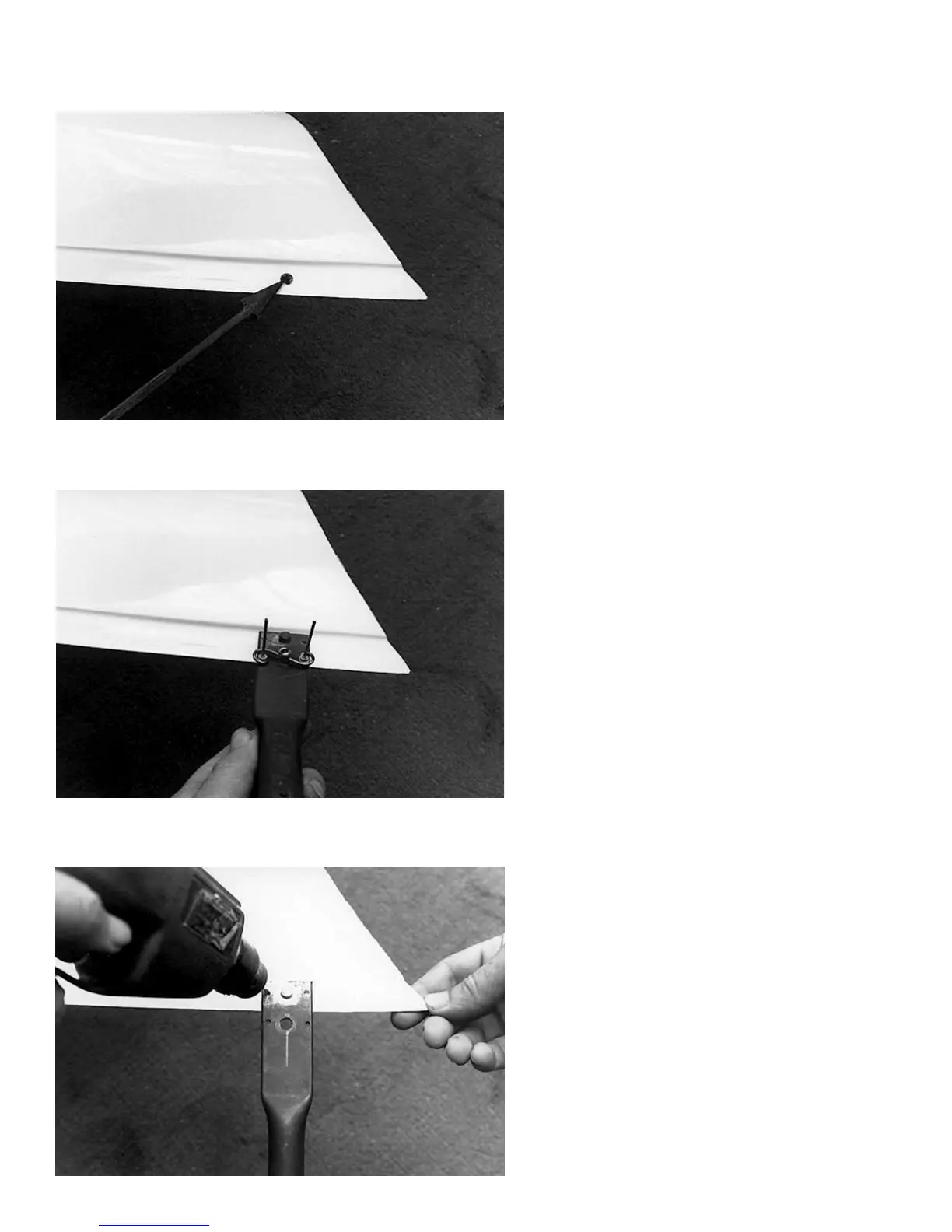
Photo #1
Use a hand drill to open the 1/8" hole to 5/16" for
the Dzus button.
Photo #2
Make a drill template from a strip of flat metal, 1-3/4"
wide and about 6" long. Drill a 5/16" hole, centered
widthwise, close to one end. Install a Dzus button in
the hole and place the spring on the back of the
strip, parallel to the end. Use the spring to locate
and drill two holes for the 1/8" pop rivets. Remove
the Dzus button and spring, and install a rod in the
5/16" hole. (Use a short 5/16" bolt with the thread
sawed off if you do not have anything else.)
Photo #3
Use the drill template to drill the 1/8" pop rivet holes.



 To Next Page