ASSEMBLY ROTOSAW
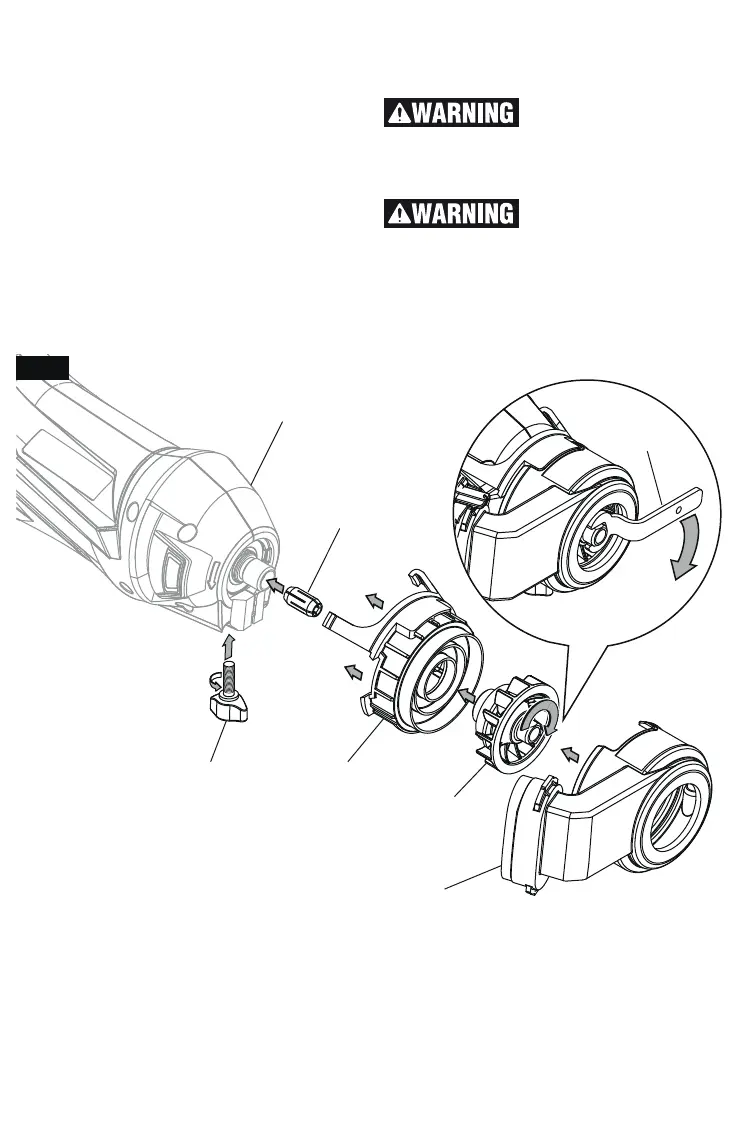
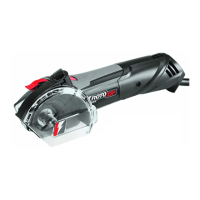
1. With tool unplugged, remove RotoSaw
Depth Guide, Collet Nut, and Collet accord-
ing to its instructions.
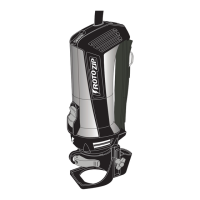
2. Install RotoSaw coupler as shown.
3. Install Collet according to diameter of bit to
be used.
4. Install Collet Fan by pressing collet lock but-
ton and rotating Collet Fan clockwise with
wrench provided. Do not fully tighten.
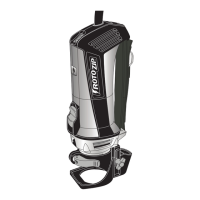
5. Install Fan Housing as shown. Dust Canis-
ter should be on right side of tool.
6. Secure Fan housing by installing Thumb-
screw (Red) that came with your RotoSaw
tool. Tighten firmly by rotating clockwise.
7. To remove, loosen thumbscrew by rotating
counter clockwise and remove parts in re-
verse order.
Do not operate DM10
Dust Collection Attach-
ment without Fan Housing mounted. Oper-
ating DM10 without Fan Housing mounted
may result in personal injury.
Always loosen and tight-
en the collet fan with off-
set wrench provided with attachment. Us-
ing collet fan as a gripping surface will damage
the collet fan and lead to personal injury or
property damage.
Fig. 5
FAN
HOUSING
ROTOSAW
COUPLER
COLLET
FAN
COLLET
ROTOSAW
THUMBSCREW
COLLET
WRENCH



 To Next Page