Remember that near infrared LEDs emit light that is
NOT visible to the naked eye.
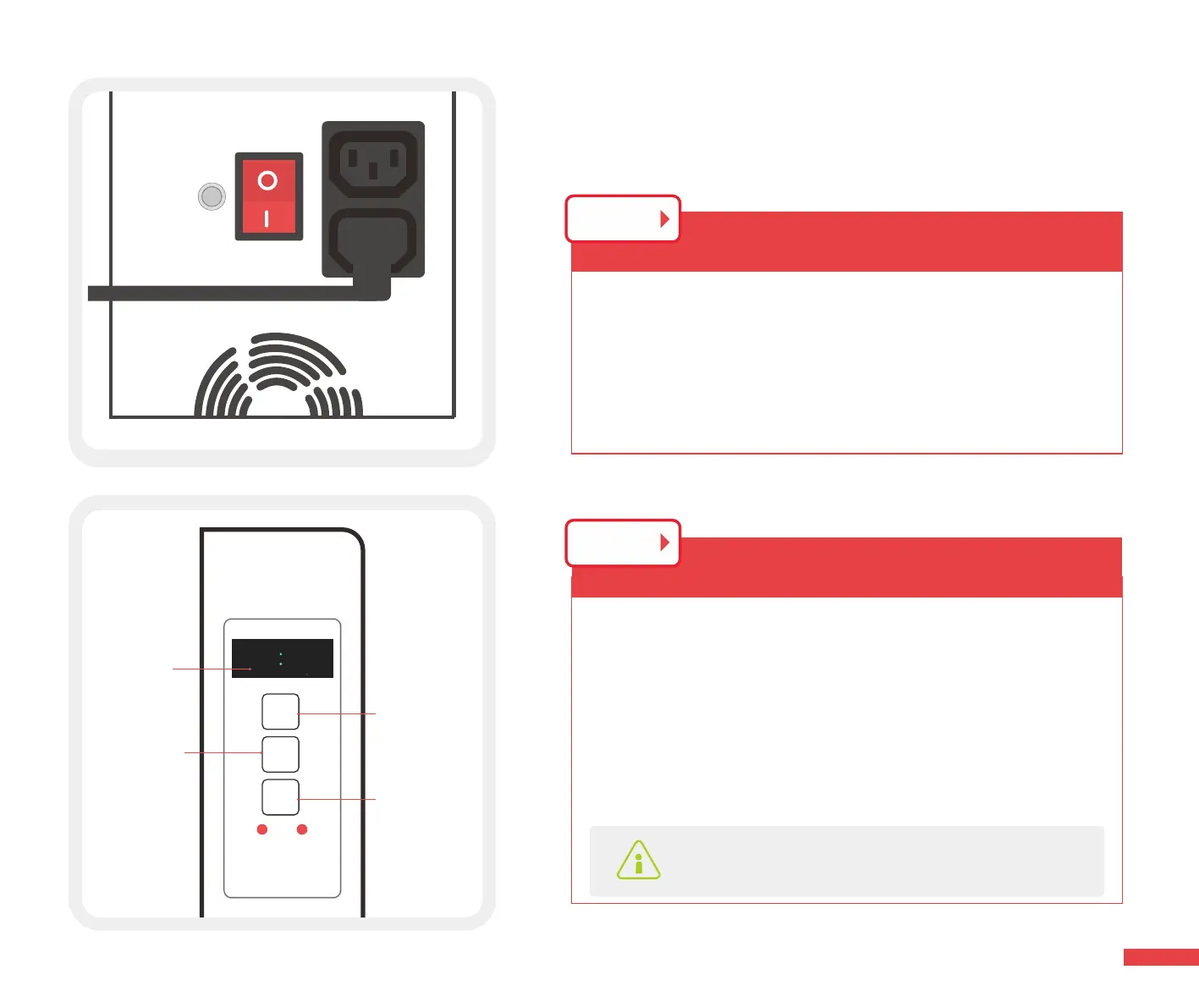
1. You can choose only red or only IR or both by selecting
the “Mode” button. The red indicator light will illuminate
indicating which wavelength conguration is selected.
2. Adjust the time by pressing the “ Time ”button.
3. Press “ok” to run the light,start the treatment.
STEP 2
88888888
MODE
TIME
OK
Red Infrared
1500
Choose
Wavelength
Increase Time
From 1-20
Minutes
Play/pause
Time
Lead / Follow
Buttton
Plug the power cord in the female socket and press the
red switch, it will become illuminated.
Setting up Your
Rouge Pro Series Light
STEP 1
12



 To Next Page