7
Technical Specifications
Indoor Unit
8
Screen Size
Resolution
Effective Area
Outline Size
Adapter Input Voltage
Working Distance
Power Consumption
Operating Temperature
Talking Time
Ralative Humidity
Monitor time
Adapter Output Voltage
&Current
AC100-240V 50Hz/60Hz
DC12V 1100mA
800(H) x 3(RGB) x 480(V)
154.08mm(H) x 85.92mm(W)
215mm(W) x 152mm(H) x 18mm(D)
Static State<0.5W,
Working State<8W
10%~90%(RH)
120S±10%
2
50m(4×0.5mm )
-10℃~+40℃
7
40S±10%
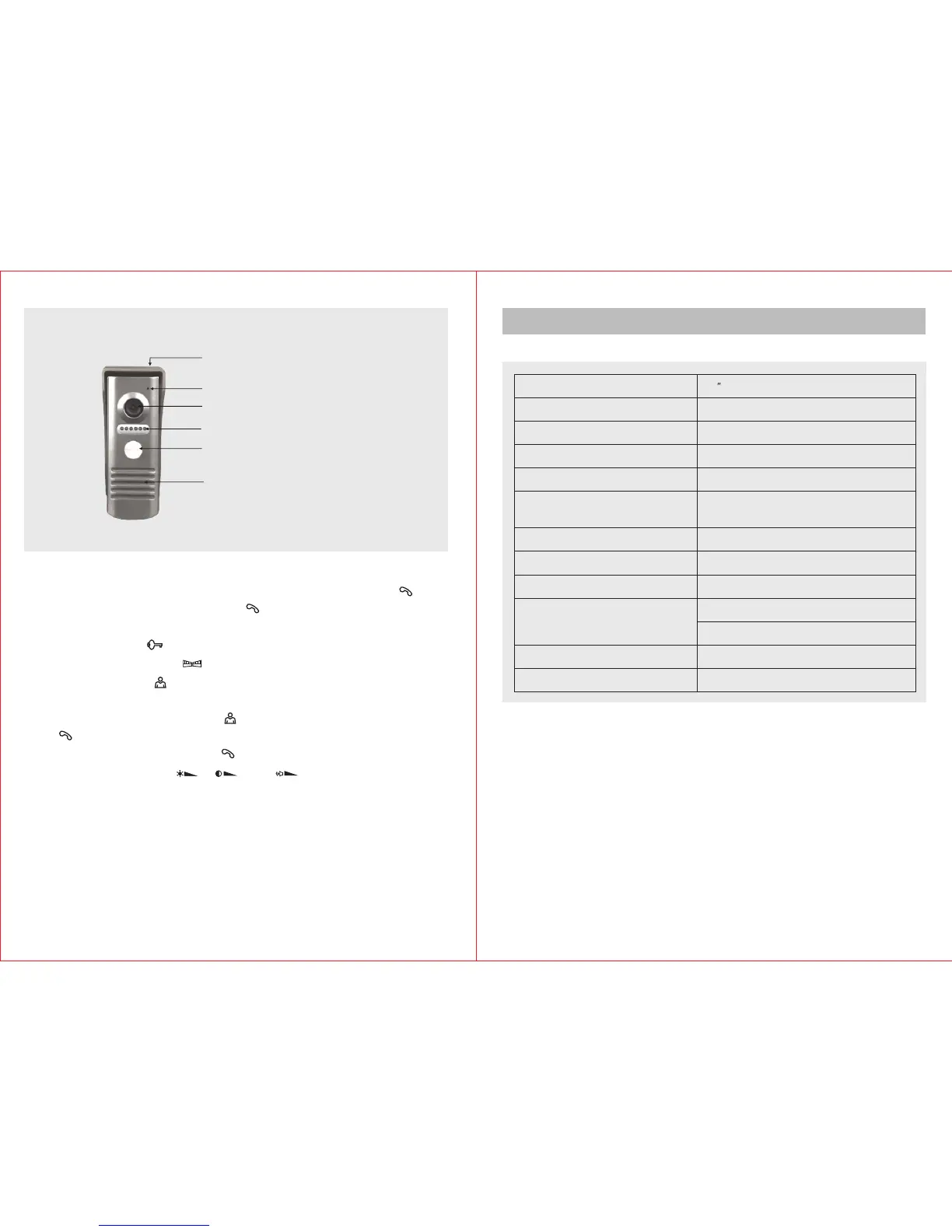
1) Press CALL button of outdoor unit to call. The doorbell will ring and the
images of visitors will be shown on the indoor unit. Press TALK ( ) to
activate the intercom. Press TALK ( ) again to disconnect. Each talking
time lasts for about 120 seconds.
2) Press UNLOCK ( ) button to release the electric door lock.
3) Press GATE UNLOCK ( ) button to release the outdoor gate.
4) Press MONITOR ( ) button to monitor the outdoor. The monitoring time
is about 40s.
5) After you press the MONITOR ( ) button, you can press the TALK
( ) button to talk with the person at the gate while monitoring outdoor.
Then you can press the TALK ( ) button to end monitor and intercom.
6) Turn the adjust knobs ( ), ( ) and ( ) on the side of indoor unit to
adjust the brightness,chroma and talking volume.
Outdoor Unit
Microphone
Camera
LED Light
Call
Speaker
Rain shade


 To Next Page