EasyManua.ls Logo

RouterBOARD RB2011U Series - User Manual

RouterBOARD RB2011U Series
2 pages
Print Icon
To Next Page IconTo Next Page
Loading...
See
www.routerboard.com
for more information. Contact
support@mikrotik.com
for support questions.
3
May
201
RouterBOARD 2011U/L/iL series
Quick Setup Guide and Warranty Information
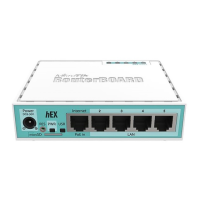
The RB2011U/L is a small form factor ethernet router with 5 Gigabit Ethernet ports and 5 Fast Ethernet ports and an SFP cage.
The RB2011U series includes four models, RB2011UAS‐IN (USB, SFP, indoor case), RB2011UiAS‐RM (USB, SFP, rackmount case),
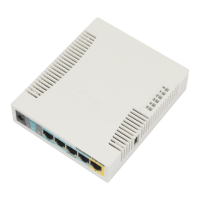
RB2011UAS‐2HnD (adds wireless AP function) and RB2011UAS‐2HnD‐IN (adds indoor case)
The RB2011L/iL series includes five models, RB2011L, RB2011L‐IN (Desktop case), RB2011iLS‐IN (Desktop case, SFP port) and RB2011iL‐RM
(rackmount case) and RB2011LS (with SFP port).
First use
The device comes preinstalled with RouterOS and is ready to use. RB2011 is compatible with RouterOS v5.9 and newer, if
your device comes preinstalled with an earlier version, please upgrade before using it.
The Ethernet ports
2---10
have a default IP address for connecting:
192.168.88.1
username is
admin
and there is
no password.
Please connect with your web browser to this IP address and choose Webfig to configure it.
Ether1
is configured as a DHCP
client, for connecting to your ISP.
See this page for connection and configuration guides: http://wiki.mikrotik.com/wiki/Category:Manual
Powering
The device accepts powering from either the power jack, or from the LAN1 Ethernet port:
Direct
---
input
power
jack
(5.5mm
outside
and
2mm
inside
diameter,
female,
pin
positive
plug)
accepts
8
---
30V
DC
(overvoltage
protection
starts
at
30V).
Eth1 port accepts
8---30V
DC input (at the board; higher voltage needed to compensate for power loss on long cables)
from
non---standard
(passive) Power over Ethernet injectors. The board
does not
work with IEEE802.3af compliant
48V
power injectors
The IN and RM models include a 110/220V PSU which is already plugged into the power jack inside the case
Extension Slots and Ports
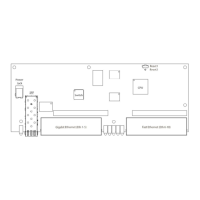
Five 10/100/1000 (Gigabit) Ethernet ports (Auto MDI/X)
Five 10/100 (Fast) Ethernet ports (Auto MDI/X)
One
8
---
30V
DC
power
jack
SFP port for SFP module (module not included, works only with Gigabit modules)
(only
on
RB2011UAS
---
2HnD
---
IN)
built
in
wireless
AP
(2GHz
,
802.11b/g/n),
with
external
antennas.
Question and Answer IconNeed help?

Do you have a question about the RouterBOARD RB2011U Series and is the answer not in the manual?

RouterBOARD RB2011U Series Specifications

General IconGeneral
BrandRouterBOARD
ModelRB2011U Series
CategoryNetwork Router
LanguageEnglish

Summary

Quick Setup Guide and Warranty Information

First Use

Default Network Configuration

Ethernet ports 2-10 have a default IP address of 192.168.88.1 for initial access via Webfig.

External Connection Guides

Link to external resources for detailed connection and configuration procedures.

Powering the Device

Powering Options

Device accepts power from a DC jack (8-30V DC) or via the LAN1 Ethernet port using passive PoE.

Device Ports and Slots

Gigabit Ethernet Ports

Five 10/100/1000 (Gigabit) Ethernet ports with Auto MDI/X.

Fast Ethernet Ports

Five 10/100 (Fast) Ethernet ports with Auto MDI/X.

DC Power Jack

One 8-30V DC power jack for device power input.

SFP Port

SFP port for SFP modules, compatible only with Gigabit modules.

Wireless AP Feature

Built-in wireless AP (2GHz, 802.11b/g/n) with external antennas on specific models.

Resetting the Device

RouterBOOT Reset Button Functions

The reset button performs multiple functions: force bootloader, reset RouterOS, or find Netinstall servers.

RouterOS Reset Jumper

Resets RouterOS software to defaults by holding a screwdriver in the reset hole during boot.

Operating System Support

Warranty Information

Hardware Warranty Terms

One-year warranty against defects in materials and workmanship under normal use.

Return Merchandise Authorization (RMA)

Procedure for returning failed units, contacting resellers or MikroTik directly.

Related product manuals