Remove the projector from the plastic bag and make
sure to recycle or dispose the bag correctly.
REMOTE: Open the battery cover form back side of the
remote and remove the plastic protective covers from 2
AAA batteries and then insert the batteries into the
remote and close the cover.
Plug in the provided power adapter into the power
port/slot located at the bottom of the projector.
Now, connect the other end of the power adapter to an
available electrical outlet.
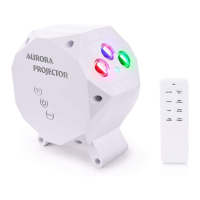
Place the ROVE Aurora Sky Projector on a flat solid
surface and aim toward your desired ceiling or wall.
You can now easily control the Aurora Sky Projector
with the smart remote control or read touch-sensitive
buttons instructions below.
SETTING UP THE LASER PROJECTOR
1
2
3
4
5
6
User Manual
5


 To Next Page