15
Sensors (Regular Clean)
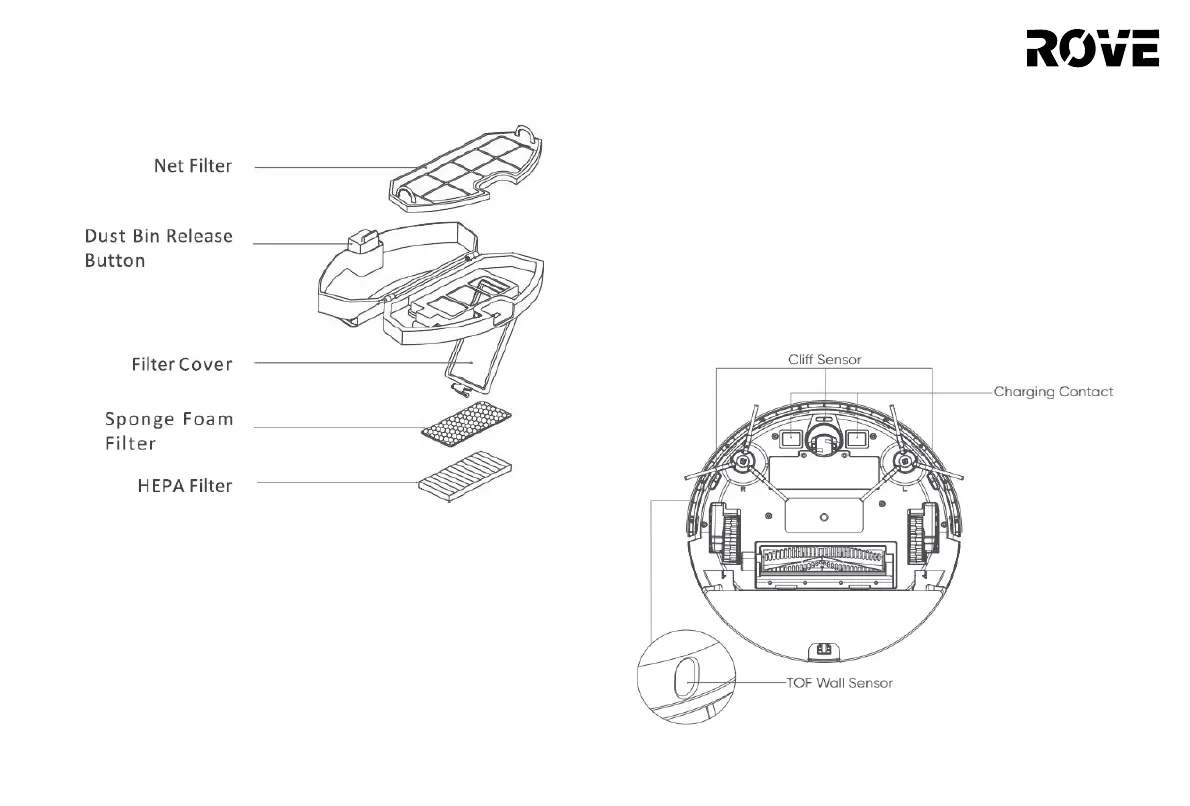
Use a soft, dry cloth to wipe all the sensors on the device, including the following:
1. The TOF Wall Sensor on the right of the vacuum
2. The Cliff Sensor on the bottom of thevacuum
3. The Obstacle Detection Sensor on the front of the vacuum
4. The LiDAR Collision Detection Sensor on the top of the vacuum
5. The Charging Contact Plate on the bottom of the vacuum and power
charging pins on the charging base ( WARNING: Please turn off the power
before cleaning)
6. The Charging Base Signal Emission Window
ROUTINE MAINTENANECE
Battery
• The vacuum robot is equipped with a high-performance lithium-ion
battery. To ensure optimal battery performance, keep the device
charged.
• If you do not intend to use the device for a long period of time, turn it
off and store it in a safe place. Charge the device at least once per
every 3 months in order to prevent damage to the battery due to
over-discharge.


 To Next Page