Trip computer & overspeed warning
115
Resetting the trip computer
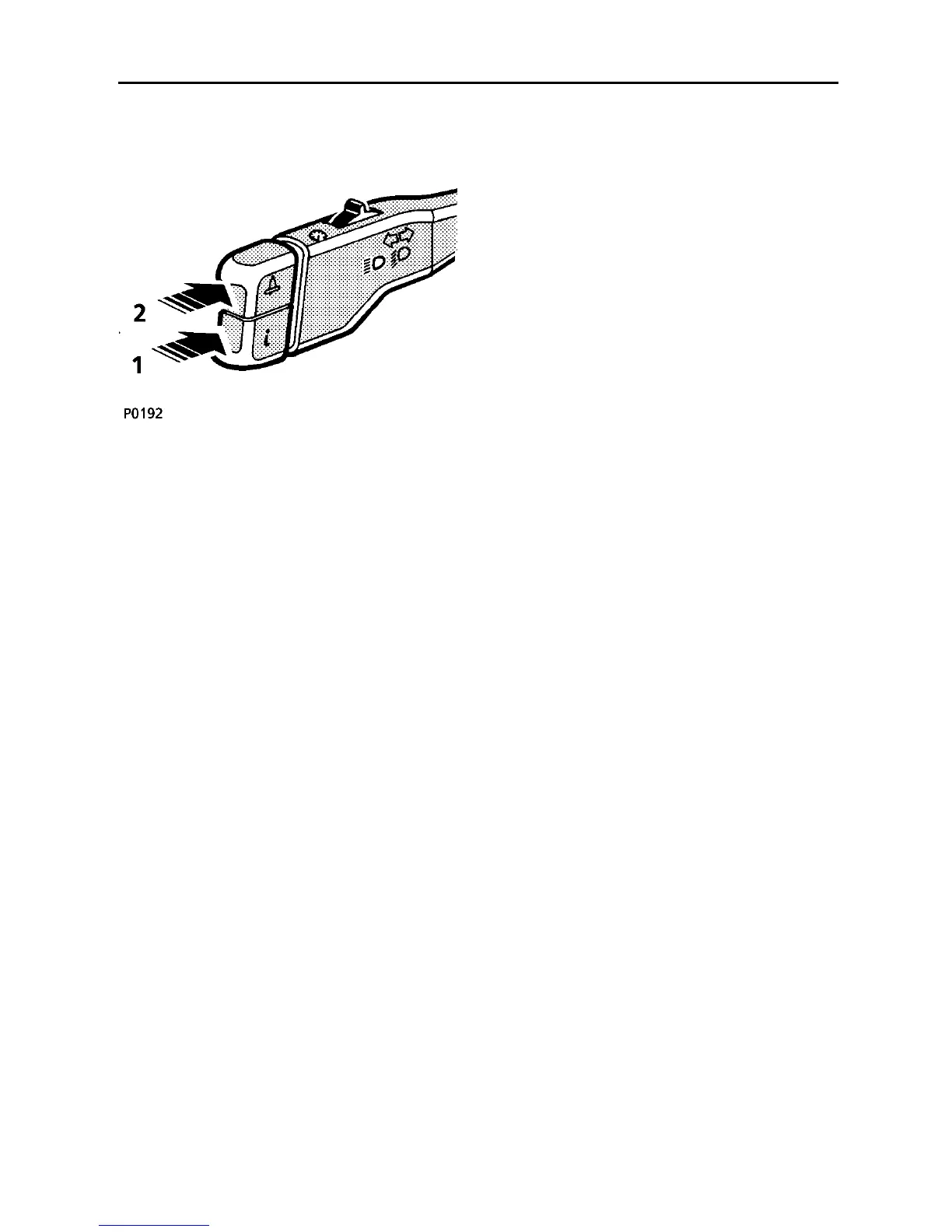
With the starter switch turned to position ’II’,
press and hold switch 1 for at least 2
seconds:
• Distance To Empty and Average Fuel
Consumption functions both reset. The
display will show ’COMPUTING RANGE’
and ’COMPUTING MPG’ until a distance of
0.6 miles (1 kilometre) has been travelled,
after which the computer will once again
be able to calculate an average fuel
consumption figure.
• Average Speed is reset. The display will
show ’COMPUTING MPH’ until the vehicle
has travelled far enough (0.6 miles or 1
kilometre) for an average speed to be
available.
• Trip Distance Two function resets to zero
NOTE: The Trip Distance One function is not
affected by resetting the trip computer.
TRIP COMPUTER OVERSPEED WARNING
The overspeed warning function is an aid to
keeping within speed limits, and is selected by
pressing switch 2 (’bell’ symbol).
To set the speed limit, press the switch (once
or twice) until ’SPEED LIMIT - - -’ is displayed,
and then hold the switch until the required
speed appears in the display (speeds will
scroll upwards in increments of 5 mph from
20 mph (30 km/h) to 100 mph (140 km/h).
NOTE: The display will start scrolling from
which ever speed was previously set in the
system memory.
As soon as the required speed appears in the
display, release the switch. That speed will
then be set in the system memory.
Whilst driving, if you exceed the pre-set
speed, ’SPEED LIMIT - - -’ will be displayed in
the message centre and an audible warning
will sound.
To cancel the speed you have set, press
switch 2 again (the message ’SPEED LIMIT
OFF’ will appear).



 To Next Page