Lights & indicators
61
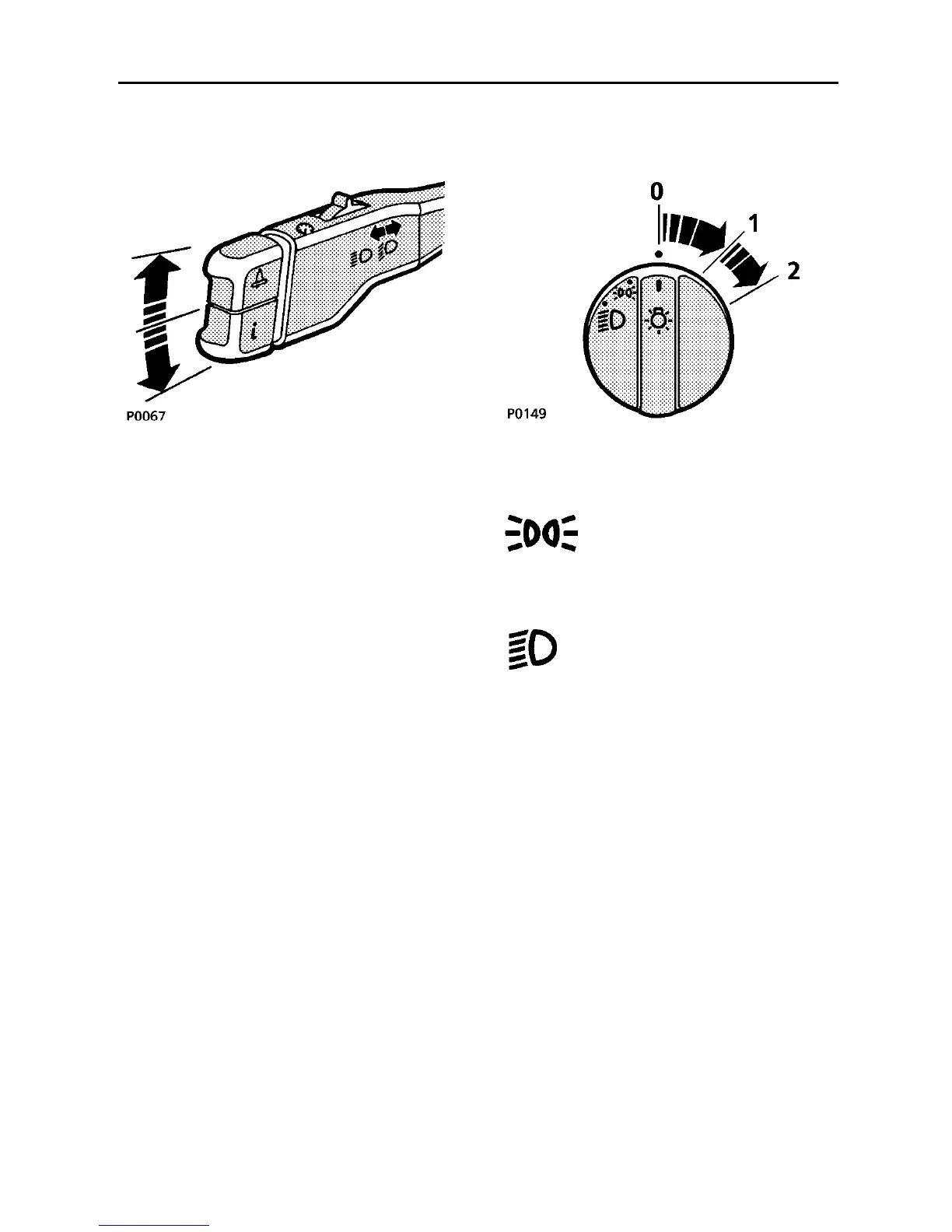
DIRECTION INDICATORS
Move the lever DOWN to indicate a LEFT turn,
and UP to indicate a RIGHT turn. The
appropriate GREEN warning light on the
instrument panel will flash in time with the
direction indicators.
Hold the lever part-way up or down against
spring pressure to indicate a lane change.
LIGHTING SWITCH
Side, tail and instrument panel
lights
Insert the starter key and turn the
lighting switch to position ’1’.
Headlights
Turn the lighting switch to
position ’2’.
Headlight courtesy delay
To illuminate the drive way after leaving the
vehicle, the headlight courtesy delay can be
operated, as follows:
1. Turn the lighting selector switch to
position ’2’ and the starter switch to
position ’II’.
2. Turn the starter switch back to position
’0’, remove the key, and turn the lighting
switch from position ’2’ to ’0’.
3. The headlights will remain on for
approximately 25 seconds and the
message centre will display ’HEADLIGHT
DELAY’.



 To Next Page