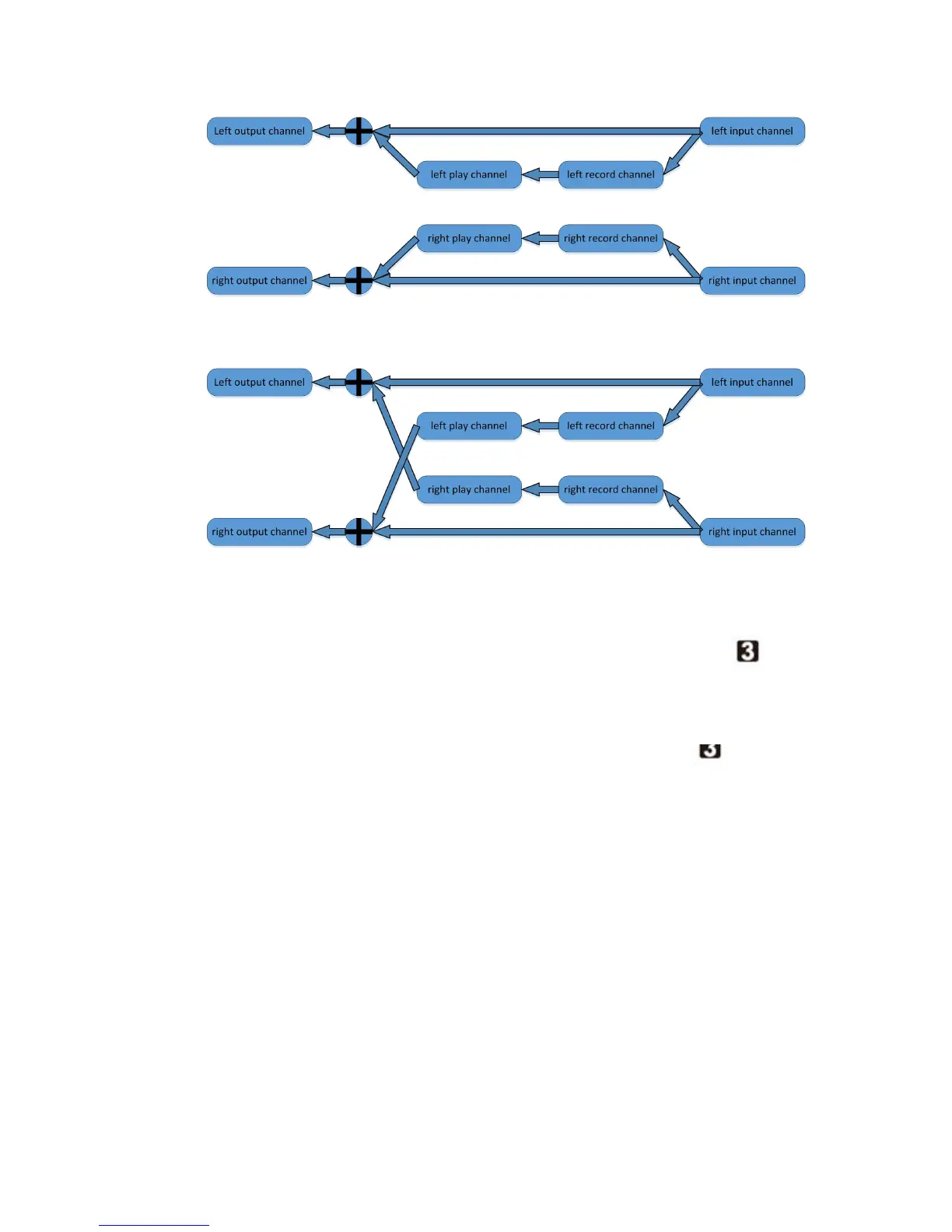
5
/
7
(1)
(2)
2) When the mode selection switch select FORWARD mode, if the effect is on, FX
effect indicator LED is red, meaning that it is playing in the normal mode, such as when the
sound recording is: 123,then 123 will be played.
3) When the mode selection switch select REVERSE mode , if the effect is on, FX effect
indicator LED is green, meaning that it is playing in the opposite direction, such as when the
sound recording is: 123, then 321 will be played.
11, recording, playing speed knob
11 gears of recording and playing speed, turn knob to leftmost means NORMAL, then to the
right means FAST. Three kinds of FAST speed, faster and faster. The fastest speed is 1.5 times
than NORMAL. Then further right, means SLOW. Seven gears of SLOW speed. Slower and slower.
The slowest speed is 2 times than NORAMAL.
Note: Since the 11 gears knob may go awry when using, it might fail to select the type of
effect, or there is intermittent sound. Then you need to re-calibrate the 11 gears knob.
1) Pressing the left and right footswitches, and plug in the 9V power supply, then
yellow LED lights up shows the state of correction.


 To Next Page