2. WHAT DOES WHAT
User Manual
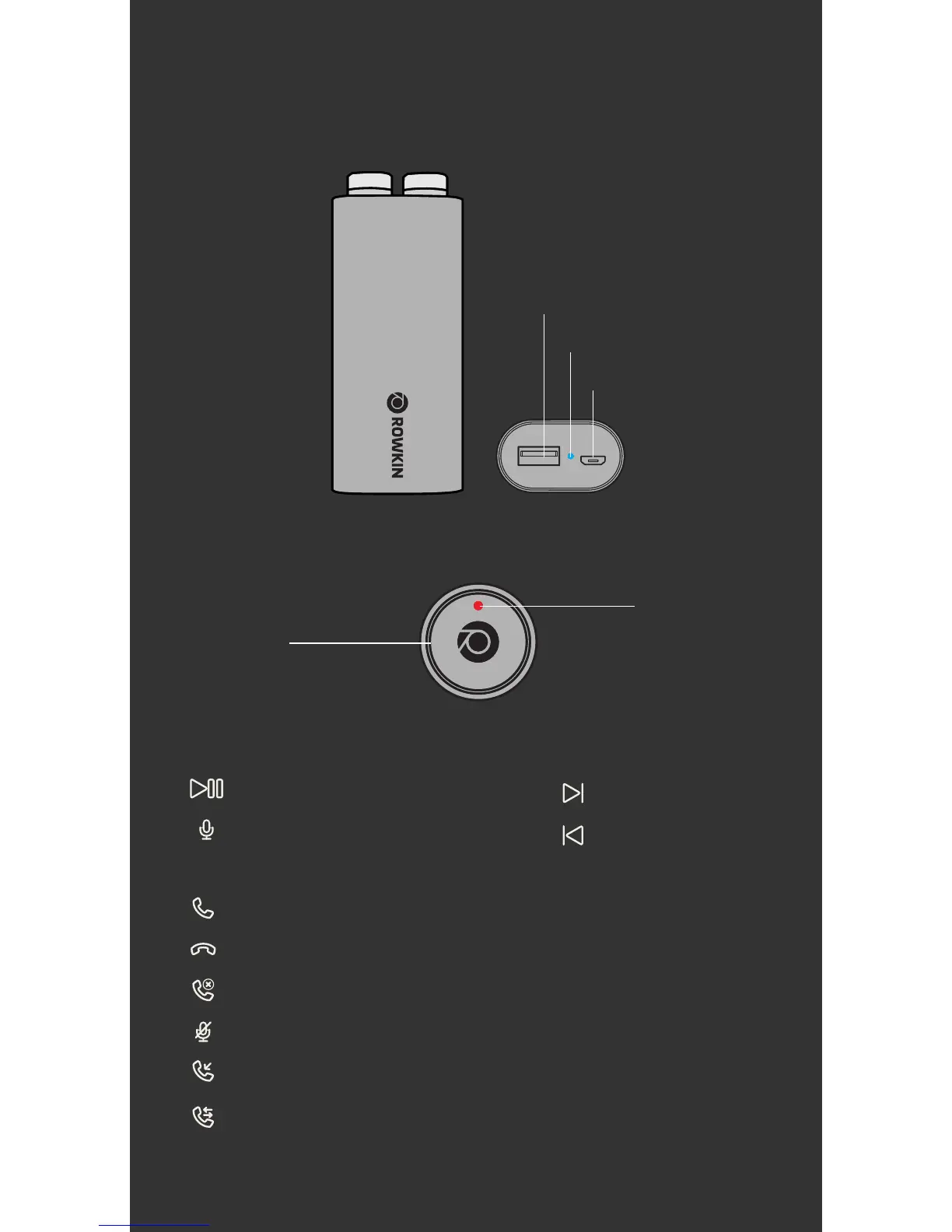
Touch Control
Surface
Built-in-Mic/
LED Indicator
CONTROLS
Press either earbud for 3 seconds (audible beep
for confirmation) to answer incoming call.
Press either earbud for 3 seconds.
Triple tap to reject incoming call.
Double tap to mute your call.
Hang up first and press either earbud for 3 seconds
to answer a second incoming call.
Answer call:
End call:
Reject call:
Mute Mic:
Second call:
Press either earbud for 5 seconds to answer the
second incoming call and place the first call on hold.
Place on hold:
Note: Please ensure your mobile device supports voice command function for this feature.
R Earbud:
Triple tap for
Google Assistant or Siri
Double tap to
Play/Pause.
L Earbud:
Either Earbud:
Triple tap to go
to previous track.
Double tap to go
to next track.
Battery Indicator
USB Port
Charging Port


 To Next Page