Need help?
Do you have a question about the Roxio Easy VHS to DVD Plus and is the answer not in the manual?
Introduction to the software and its capabilities for preserving VHS recordings.
Details the hardware and software prerequisites for installing and running the software.
Provides step-by-step instructions for installing the Roxio Easy VHS to DVD Plus software.
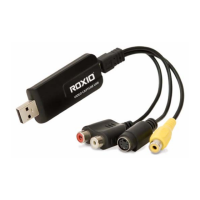
Explains how to connect a VHS player or other analog devices to the computer for video capture.
Provides contact information for customer support if users encounter issues.
Step-by-step guide on how to convert VHS tapes to DVDs or digital files using the software.
Instructions for converting audio from LPs or tapes into digital audio files.
Overview of editing capabilities, including adding, modifying, and enhancing audio clips.
Guide to modifying audio clips and applying various effects to improve sound quality.
Methods for removing noise and enhancing audio quality from analog sources.
Introduction to the Mix Editor for layering and blending audio clips.
Lists the required hardware, software, and media for starting video conversion.
Detailed instructions on connecting the capture device to a VCR using RCA or S-Video cables.
Troubleshooting steps for issues where the video input is not recognized by the software.
Explains common causes of distorted audio during capture and how to address them.
 General
| Category | Media Converter |
|---|---|
| Output Formats | DVD, Digital Files |
| Connection Interface | USB 2.0 |
| Included Software | Roxio Easy VHS to DVD Plus Software |
| Audio Inputs | Stereo RCA |
| Capture Resolution | 720x480 (NTSC), 720x576 (PAL) |
| Video Bitrate | Up to 8 Mbps |
| Input Formats | VHS, Hi8, V8 |
| Operating System Compatibility | Windows 10, Windows 8, Windows 7 |
| Video Inputs | Composite, S-Video |
| System Requirements | 1 GB RAM |

 To Next Page