EasyManua.ls Logo

Roxio Easy VHS to DVD - User Manual

Roxio Easy VHS to DVD
28 pages
Print Icon
To Next Page IconTo Next Page
Loading...
Roxio Easy VHS to DVD
Getting Started Guide
Question and Answer IconNeed help?

Do you have a question about the Roxio Easy VHS to DVD and is the answer not in the manual?

Summary

Roxio Easy VHS to DVD Getting Started Guide

Minimum System Requirements

Specifies hardware and software prerequisites for using Roxio Easy VHS to DVD.

Installing Easy VHS to DVD Software

Guides users through the installation process of the Roxio Easy VHS to DVD software.

Software Applications Included

Details the Roxio applications included with the software package for various tasks.

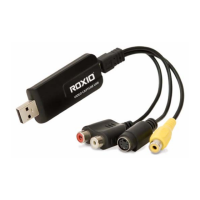
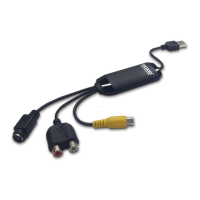
Hardware Components Provided

Lists and describes the hardware components for connecting VHS sources to a computer.

Connecting VHS Player to Computer

Provides step-by-step instructions for physically connecting a VHS player to your computer.

Converting VHS Tapes to DVD

Explains how to convert VHS tapes into DVD format using the software.

Transfer Single VHS Tape to DVD

Detailed steps for transferring a single VHS tape directly to a DVD.

Transfer Multiple VHS Clips to DVD

Guides on capturing multiple clips and creating a DVD menu from VHS tapes.

Converting Audio Tapes to Digital Files

Covers converting vinyl LPs and audio tapes to digital music files using Sound Editor.

Enhancing Audio with Sound Editor

Instructions on using Sound Editor's tools to improve the quality of audio recordings.

Creating an Audio CD with Sound Editor

Steps for creating an audio CD from enhanced recordings using Sound Editor.

Summary

Roxio Easy VHS to DVD Getting Started Guide

Minimum System Requirements

Specifies hardware and software prerequisites for using Roxio Easy VHS to DVD.

Installing Easy VHS to DVD Software

Guides users through the installation process of the Roxio Easy VHS to DVD software.

Software Applications Included

Details the Roxio applications included with the software package for various tasks.

Hardware Components Provided

Lists and describes the hardware components for connecting VHS sources to a computer.

Connecting VHS Player to Computer

Provides step-by-step instructions for physically connecting a VHS player to your computer.

Converting VHS Tapes to DVD

Explains how to convert VHS tapes into DVD format using the software.

Transfer Single VHS Tape to DVD

Detailed steps for transferring a single VHS tape directly to a DVD.

Transfer Multiple VHS Clips to DVD

Guides on capturing multiple clips and creating a DVD menu from VHS tapes.

Converting Audio Tapes to Digital Files

Covers converting vinyl LPs and audio tapes to digital music files using Sound Editor.

Enhancing Audio with Sound Editor

Instructions on using Sound Editor's tools to improve the quality of audio recordings.

Creating an Audio CD with Sound Editor

Steps for creating an audio CD from enhanced recordings using Sound Editor.

Roxio Easy VHS to DVD Specifications

General IconGeneral
TypeCD burning
Software typeBox
Language versionMultilingual
Minimum RAM512 MB
Minimum processor1 GHz
Minimum storage drive space2048 MB
Compatible operating systemsWindows Vista/XP
PlatformPC
Mac compatibilityNo
Media types supportedCD/DVD

Related product manuals