24
User
Manual
Main
Menu
Menu
level 2
Menu
level 3
Menu
level 4
Menu
level 5
Menu
level 6
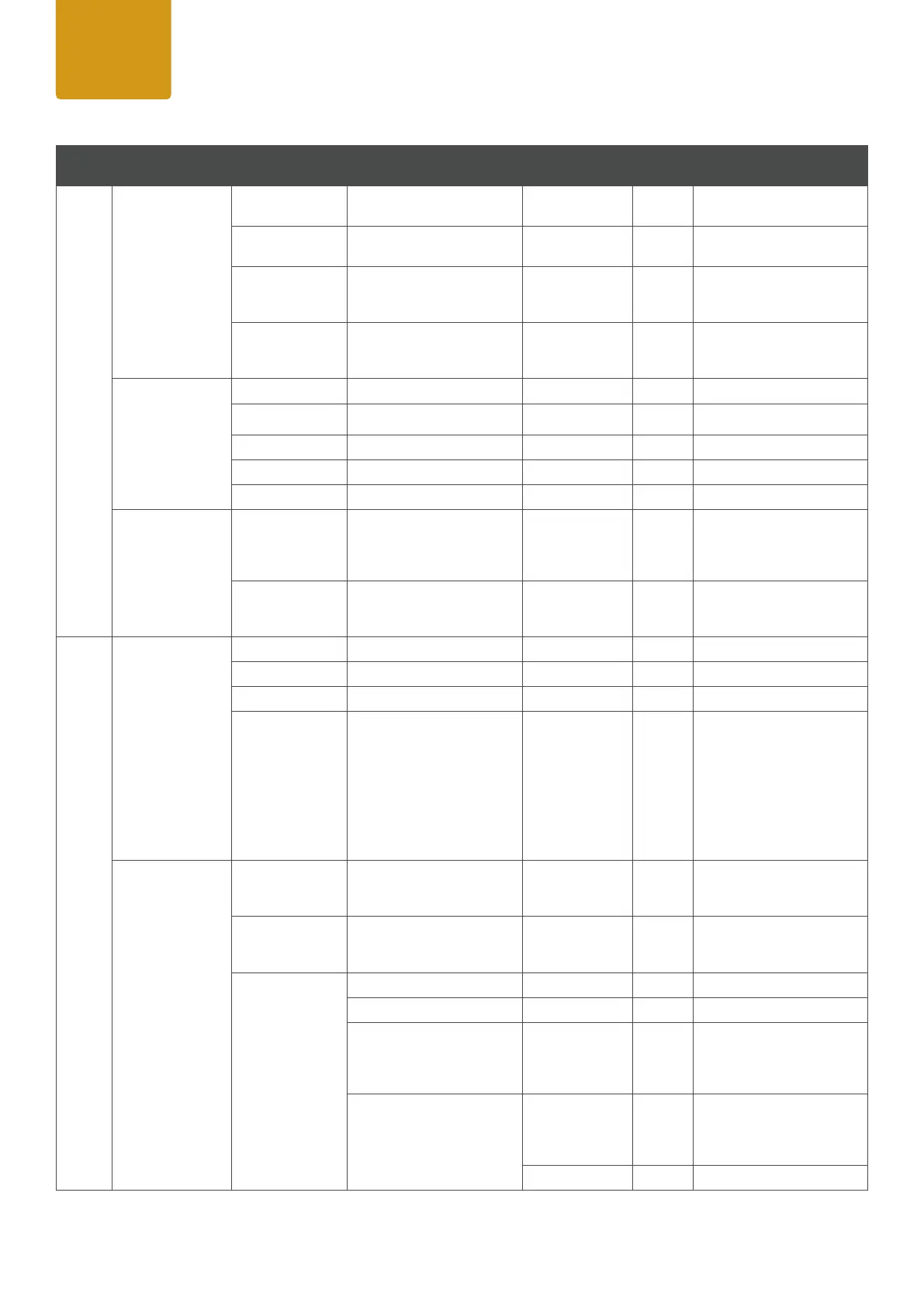
Remark
Stand
Alone
Tunable White
(affetcs both RGB
Panels)
Dimmer
<0-100>
Shutter
<0-255>
CCT <2000K-
10.000K>
(default 5600K)
adjustable in 100K steps
Tint
<000> +/-127
0= no function
001--127 plus green
-001 to -127 plus magenta
User Color
(affects both RGB
Panels)
Color1 Dimmer<0-100>
Color2 Shutter <0-255>
Color3 Red <0-255>
Color4 Green <0-255>
Color5 Blue <0-255>
Color Se tt ings
(affects Stand
Alone Modes only)
Color Calibration
Working accroding to the
settings at Color Calibration,
either Full Calibration or
CCT Calibration.
RAW Balance
Working accroding to the
settings at RAW Balance,
either RW or User Calibrated.
Settings
Protocol
DMX enables DMX protocol
Art-Net enables Art-Net protocol
sACN enables sACN protocol
Slave
conrm with ENTER, after
Slave Mode is activated
Display will show Slave
Mode. Connect the master
and slave units (same mo
-
del) with a DMX cable and
enable one of the standalo-
ne modes on the master unit
(Auto, Quick Color).
Ethernet
Art-Net IP Address xxx.xxx.xxx.xxx
IP address: 1. Set block,
conrm, Set 2nd block,
conrm
sACN Subnet Mask xxx.xxx.xxx.xxx
Subnet Mask: 1. Set block,
conrm, Set 2nd block,
conrm
Universe 000-254 Sets the Universe
Universe Group 000-127 Sets the Universe Group
Send Current Universe
to DMX
On / Off
On: passes current Universe
to DMX Out
Off: doesn´t pass current
Universe to DMX Out
Send User Universe to DMX
On / Off
On: passes user Universe to
DMX Out
Off: doesn´t pass user Uni-
verse to DMX Out
Select Universe
000-254
Sets the Universe


 To Next Page
 Loading...