39
User
Manual
User
Manual
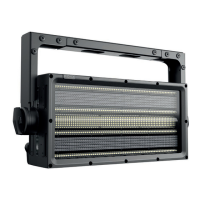
Label: ROXX CLUSTER S2
Model: CLUSTER S2
Manufacturer: ROXX
ID: 6A6Ah
Device ID: 204 xxxx
RDM functions
For easy identifying ROXX CLUSTER S2 during RDM process the unit will jump from white color to blue color every
second.
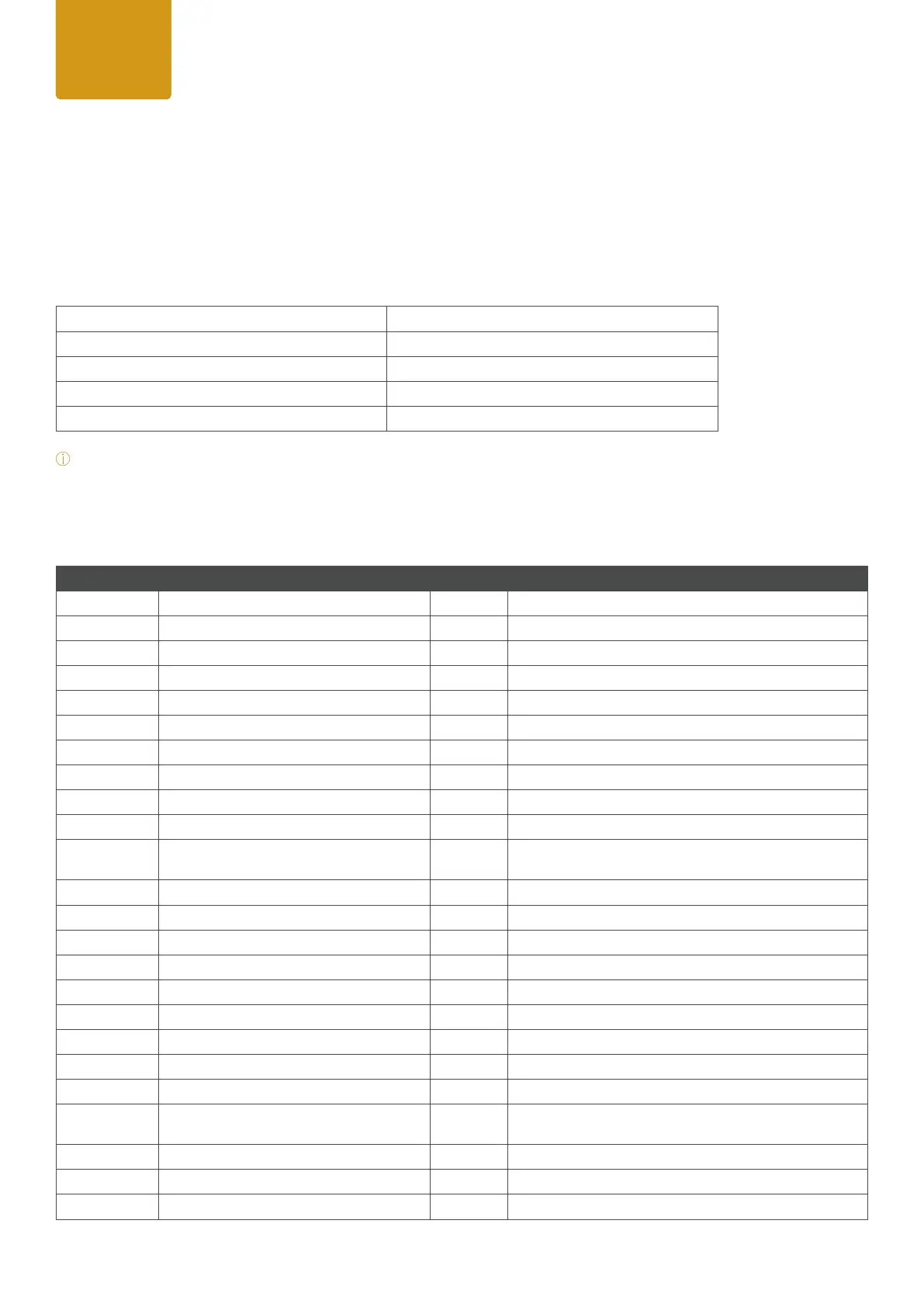
PID Function Action Values
0x00F0 DMX Start Adress Set 001-512
0x00E0 DMX Personality Set 7 x DMX Modes
0x00E1 DMX Slots Read n.a.
0x0500 Display Flip Set 0= On / 1= Off
0x8051 Display Backlight Set 0= Off / 1= On
0x8052 Display Lock Set 0= Off / 1= On
0x8001 Effect Set tba
0x8002 Effect Dimmer Set 0-100
0x8003 Effect Speed Set 0-100
0x8062 Protocol Set tba
0x8053 Startup Mode Set
0= DMX / 1= AUTO / 2= Color Macro / 3= Quick Color /
4= Tunable White / 5=User Color
0x8060 Color Settings Set 0= Color Calibration / 1= RAW
0x8054 DMX Fail Set 1= Hold / 2= Blackout / 3= Emergency
0x8055 Dimmer Curve Set 1= Linear / 2= Exponential / 3= Logarithmic / 4= S-Curve
0x8056 Dimmer Response Set 1= LED / 2= Medium / 3= Halogen
0x8061 Color Calibration Set 0=CCT Calibration / 1= Full Calibration
0x8058 RAW Balance Set 0= RAW / 1= User Calibration
0x8101 User Calibration - Red Set 0-255
0x8102 User Calibration - Green Set 0-255
0x8103 User Calibration - Blue Set 0-255
0x8059 LED Frequency (PWM) Set
1= 800Hz / 2= 1200Hz / 3= 2000Hz / 4= 3600Hz / 5= 12kHz
/ 6=25kHz
0x805A Fan Set 0= Auto / 1= Silent / 2= Fan Off / 3= Max. Power
0X8063 Invert Mapping RGB Panel1 Set 0= Off / 1= On
0x8064 Invert Mapping RGB Panel2 Set 0= Off / 1= On
7.5 RDM Templates*
The ROXX Show series features support for various RDM functions.
RDM (Remote Device Management) is a protocol enhancement to USITT DMX512 that allows bi-directional com-
munication between the xtures and the controller over a standard DMX line. This protocol will allow conguration,
status monitoring and management.
You will need a RDM controller to get control over the supported parameters. See the tables below for supported
RDM features.
*
Note: During RDM identifying process CLUSTER S2 ashes white to blue color alternately.


 To Next Page
 Loading...