EasyManua.ls Logo

Royal Sovereign RAF-25P - User Manual

Royal Sovereign RAF-25P
24 pages
Print Icon
To Next Page IconTo Next Page
Loading...
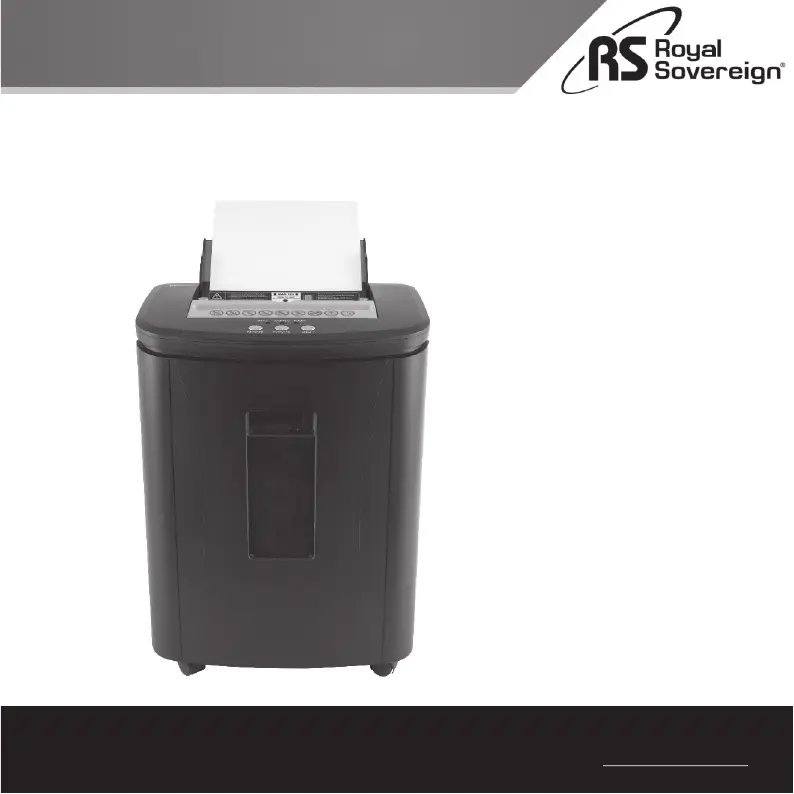
Owner’s Manual
Auto-Feed Shredder
Royal Sovereign International,Inc.
Please read and retain these instructions.
To register your product, please go to www.royalsovereign.com
RAF-25P

Questions and Answers

  • R
    Robert SchneiderAug 3, 2025
    How to fix Royal Sovereign RAF-25P that does not turn on?
    • L
      Leslie RogersAug 3, 2025
      If your Royal Sovereign Paper Shredder doesn't turn on, please check the following: * Make sure the shredder is properly plugged into a working outlet. * Confirm that the master power switch is in the ON position. * Ensure the ON/OFF button is pushed down to the ON setting. * Verify the pull-out bin is fully and correctly inserted. * Check that the red “BINFULL” indicator light is not illuminated.
  • J
    Jennifer SmithAug 9, 2025
    Why is my Royal Sovereign Paper Shredder not pulling paper from the auto-feed tray?
    • S
      smithjulieAug 9, 2025
      If your Royal Sovereign Paper Shredder isn't pulling paper from the auto-feed tray, check these items: * Make sure the paper is correctly loaded into the auto-feed entry. * Ensure staples are at the top of the page and do not exceed 10 sheets. * Confirm the paper is not folded. * Verify that the number of sheets in the tray does not exceed the maximum of 120.
  • F
    Felicia AlexanderAug 15, 2025
    How to remove paper jam from Royal Sovereign Paper Shredder auto-feed?
    • J
      Jason FordAug 15, 2025
      To remove a paper jam from the auto-feed entry of your Royal Sovereign Paper Shredder: 1. Use the manual “REVERSE” button to reverse the jammed paper. 2. Open the top safety cover and remove any jammed paper. 3. Close the top safety cover securely. 4. Restack the papers neatly, making sure you don't exceed the maximum capacity and that stapled sheets are face up.
  • M
    Michael GonzalesAug 21, 2025
    Why does Royal Sovereign RAF-25P overheat during auto-feed?
    • K
      Kristen HarveyAug 21, 2025
      If your Royal Sovereign Paper Shredder overheats during auto-feed, it might be due to: * Too many stapled sheets. * Folded papers. * Stapled sheets inserted face down. To resolve this: a) Ensure all staples are at the top of the page (face up). b) Check that the paper is not folded and no unsupported material is in the auto-feed tray. c) Reduce the number of sheets in the tray.
  • C
    clarkjanetAug 27, 2025
    Why does the Royal Sovereign RAF-25P motor keep running?
    • D
      David DavisAug 28, 2025
      If the motor of your Royal Sovereign Paper Shredder keeps running after shredding is complete: * Press the “ON/OFF” button to turn the shredder off. * Press the “REVERSE” button. * Open the top safety cover and remove any jammed paper.

Summary

Safety Instructions

General Safety Precautions

Essential safety guidelines for operating the shredder to prevent accidents and hazards.

Product View

Control Panel

Control Panel Indicators

Explains the function of the Bin Full, Overheat, and Power indicator lights.

Control Panel Buttons

Describes the operation of Reverse, Forward, and ON/OFF buttons for shredder control.

Master Power Switch

Details the function and location of the master power switch.

Product Operation

Auto-Feed Entry Operation

Step-by-step guide for using the auto-feed feature with stacks of paper.

Manual Entry Operation

Instructions for shredding paper using the manual feed slot.

Troubleshooting

Shredder Not Turning On

Steps to resolve issues when the shredder fails to power on.

Machine Overheating During Auto-Feed

Solutions for overheating problems encountered during auto-feed shredding.

Manual Entry Paper Jam

Procedure to clear paper jams from the manual feed slot.

Auto-Feed Entry Paper Jam

Steps to resolve paper jams in the auto-feed entry.

Shredder Stops Suddenly

Diagnosing and fixing unexpected shredder stoppages during operation.

Auto-Feed Tray Not Pulling Paper

Solutions for when the auto-feed tray fails to feed paper into the shredder.

Motor Runs After Shredding

Instructions to turn off the motor when shredding is complete.

Specifications

Limited Warranty

Royal Sovereign RAF-25P Specifications

General IconGeneral
BrandRoyal Sovereign
ModelRAF-25P
CategoryPaper Shredder
LanguageEnglish

Related product manuals