EasyManua.ls Logo

Royal Vendors Merlin IV - User Manual

Default Icon
104 pages
Print Icon
To Next Page IconTo Next Page
Loading...
Royal Vendors, Inc.
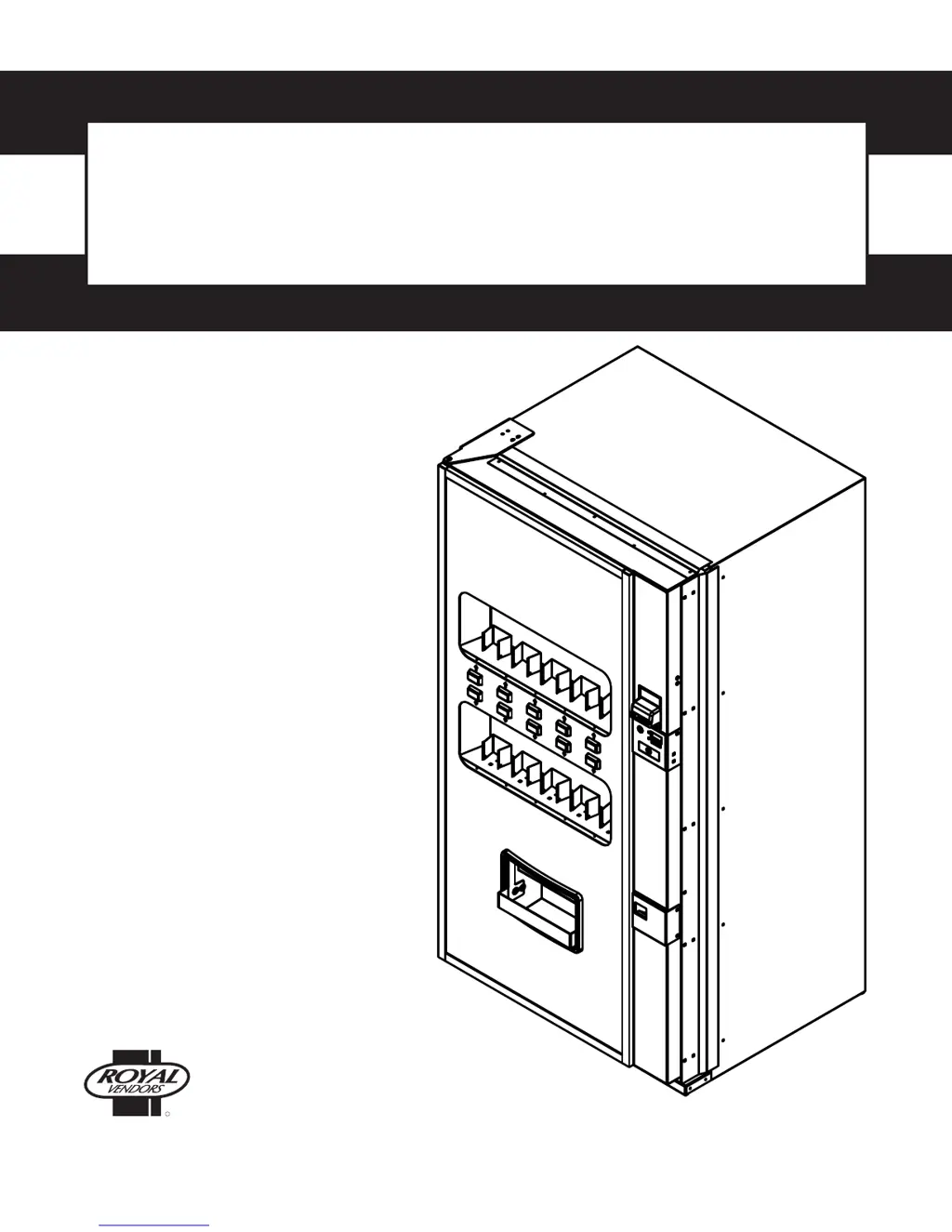
Service and Parts Manual
Merlin IV
R
Manufactured by
Telephone +1 304 728 7056 • Fax +1 304 725 4016 • technicalinquiry@royalvendors.com • parts@royalvendors.com • www.royalvendors.com
Royal Vendors, Inc.
426 Industrial Boulevard
Kearneysville WV 25430-2776 USA

Table of Contents

Other manuals for Royal Vendors Merlin IV

Questions and Answers

  • V
    Victoria NortonAug 23, 2025
    Why does my Royal Vendors Vending machine reject good coins?
    • H
      Hannah IbarraAug 23, 2025
      Your Royal Vendors Vending machine may be rejecting good coins due to: * The coin return lever pressing down on the acceptor’s coin plunger. Ensure the changer is mounted correctly and the coin return lever is in the proper position. * The acceptor being dirty or foreign matter being in the path. Clean the acceptor or contact the distributor. * The coin changer being improperly tuned (if tunable). Contact the manufacturer for tuning. * A defective control board. Replace or test the control board.
  • E
    ebooneAug 26, 2025
    Why does my Royal Vendors Vending machine always accept coins but gives erratic or no credit?
    • T
      tamarapetersonAug 26, 2025
      If your Royal Vendors Vending machine always accepts coins but gives erratic or no credit, here's what might be happening: * **If No Credit**: There may be a defective harness between the coin mechanism and the control board (this will show a “CC” error). Check the harness for cut wires or wrong/bad connections. Test each wire for continuity or test to ground. If found to be defective, replace the harness. * **If Erratic or No Credit**: The acceptor or coin mechanism might be the issue. Replace the coin mechanism and test. * **If No Credit**: The control board could be defective. Replace the control board.
  • L
    Lee PetersenAug 27, 2025
    What to do if my Royal Vendors Vending machine's bill acceptor takes a bill but doesn't give credit?
    • S
      Savannah BrownAug 27, 2025
      If your Royal Vendors Vending machine's bill acceptor takes a bill but doesn't establish a credit, consider these possibilities: * A defective acceptor harness, meaning the credit isn't getting from the acceptor to the control board through the harness. Make sure the acceptor harnessing is correct for your style of acceptor and that it is plugged in/wired properly. * A defective acceptor. Replace or test the acceptor. * A defective control board. Replace or test the control board.
  • L
    lynnjosephAug 29, 2025
    How to fix a Royal Vendors Vending machine changer that won't pay out coins?
    • R
      Rachel NobleAug 29, 2025
      If your Royal Vendors Vending machine changer is not paying out coins, it could be due to: * A defective harness from the coin mechanism to the control board. Test the manual coin payout. If it won’t pay out using the CPO mode or during sales, check the harness for cuts, bad continuity, or wrong connections. If defective, replace and test. * A defective coin mechanism. Replace the coin mechanism and test. If it pays out, the coin mechanism was defective. * A defective control board. If the coin mechanism won’t pay out coins manually in the CPO mode or during the Sales Mode and the above procedures have failed, replace the control board and test payout both in the CPO mode and during a sale.
  • J
    Justin GreeneSep 3, 2025
    Why does my Royal Vendors Vending machine accept money but not give credit?
    • R
      Ronald EnglishSep 3, 2025
      If your Royal Vendors Vending machine accepts money but doesn't establish credit, it could be caused by: * A defective changer. Replace the changer. * A defective control board. Replace the control board.
  • T
    Thomas FlemingSep 5, 2025
    Why is my Royal Vendors Vending machine showing a complete sold-out condition?
    • R
      Randall WhiteSep 5, 2025
      If your Royal Vendors Vending machine is showing a complete sold-out condition, the following could be the reasons: * The timer is enabled, or 'StS' has been cleared. Disable timer control and check the space-to-sales settings; reprogram if necessary. * The door switch is not working. Open the vender’s main door and make sure the LED displays the Service Mode. If not, check for voltage (5 VDC) with a voltmeter at the door switch. If voltage is found, replace the door switch. If not, check for voltage (5 VDC) at the door switch’s pinout on the control board. If no voltage is found there, replace the control board.
  • J
    jonesjustinSep 7, 2025
    Why won't the refrigeration unit run on my Royal Vendors Vending machine?
    • N
      ncortezSep 7, 2025
      If the refrigeration unit on your Royal Vendors Vending machine isn't running, consider these potential causes: * A defective temperature sensor. Check the connection and replace the temperature sensor if needed. * A defective unit. Plug the unit directly into the wall outlet to see if it runs and cools. If not, replace the unit.
  • E
    elliselaineSep 9, 2025
    What causes evaporator freeze-up in a Royal Vendors Vending machine?
    • T
      Theresa MurphySep 9, 2025
      Evaporator freeze-up in your Royal Vendors Vending machine can be caused by: * Air leaks around the inner door or port body. Check for condensation around the inner door for air leaks. Ensure the door is tightened down far enough. Make sure the port door is not held open. * A clogged drain tube. Check to make sure water can freely flow through the drain tube.
  • F
    Felicia HamiltonSep 12, 2025
    What does it mean when my Royal Vendors Vending machine is flashing 8’s across the LED?
    • S
      Sandy PhillipsSep 12, 2025
      If your Royal Vendors Vending machine is showing flashing 8’s across the LED, it could indicate: * Chips on the control board are not seated properly. Seat the chips properly. * A bad LED connection. Scrape the pins on the LED and reinstall the harness. * A defective control board. Unplug everything from the control board except the LED and main power. If the 8’s remain, replace the control board.
  • A
    Allison MartinSep 13, 2025
    Why does my Royal Vendors Vending machine appear dead (no display, no lights)?
    • R
      Ryan LewisSep 13, 2025
      If your Royal Vendors Vending machine appears completely dead, with no digital display and no lights, it could be due to: * A defective main harness or secondary power harness to the transformer. The lights themselves may also be defective. Replace the main wiring harness and/or the secondary power harness.

Summary

Safety Segment

ROYAL VENDORS’ COMMITMENT TO SAFETY

Outlines the manufacturer's commitment to safety and user awareness of potential dangers.

SAFETY REGULATIONS

Lists essential safety rules and precautions to follow before and during installation or service.

SECTION I: ELECTRICAL HAZARDS GENERAL ADVICE

Provides general advice on precautions to take when handling electrical circuits.

SECTION II: ELECTRICAL HAZARDS

Details specific electrical hazards related to servicing with power on or off.

Section 1. General Information

INTRODUCTION TO MERLIN IV

Provides an overview of the MERLIN IV vending machine's capabilities and operational features.

MERLIN IV FEATURES

Lists the key features and technological advantages of the MERLIN IV vending system.

VENDER IDENTIFICATION

Explains how to identify the MERLIN IV vender using serial plates and model numbers.

VOLTAGE REQUIREMENTS

Specifies the electrical voltage, frequency, and service requirements for the vender.

Section 2. Vender Component Explanation

VENDER CONTROL BOARD (including pinouts)

Details the main control board, its identification, operation, and pinout connections.

LOW VOLTAGE TRANSFORMER

Explains the function and operation of the low-voltage transformer powering the control board.

DELIVERY CHUTE SENSOR

Describes the adjustment and testing procedures for the product delivery chute sensor.

REFRIGERATION SYSTEM

Details the refrigeration system, its components, and operational cycle.

BALLAST

Explains the function of the ballast in providing power to the vender's fluorescent lights.

CREDIT PERIPHERALS

Describes the coin changer, bill acceptor, and debit card reader functionalities.

Section 3. Vender Programming

PRECAUTIONS TO TAKE WHEN WORKING WITH CONTROL BOARD

Provides essential safety guidelines for handling electronic control boards and preventing ESD.

INTERNAL (Service) MENU

Outlines the modes and operations available within the internal service menu for programming.

OPTIONAL MENU

Lists the modes accessible when configuration 2 is set to '1'.

EXTERNAL MENU

Describes features accessible via the external menu for reporting vend counts and errors.

Section 4. Vend Cycle

Stand-By Condition

Describes the vender's state when idle and awaiting customer interaction.

Establishing Credit

Explains how customer credit is established through coin insertion.

Valid Selection

Details the process when a customer makes a valid product selection.

Sold-Out

Details how the system indicates when a product selection is unavailable.

Resetting Sold Out Selections

Explains how a sold-out condition is cleared and reset via the door switch.

Section 5. Vender Maintenance

General Maintenance

Provides instructions for routine cleaning and lubrication of vender parts.

Using the Vender’s Error Code System

Explains how to use the built-in error code system for troubleshooting.

Section 6. Training Guide

Troubleshooting Technique

Outlines objectives and steps for effective troubleshooting of vending equipment.

Simple circuit

Explains basic circuit principles relevant to vending machine diagnostics.

Component Highlights

Summarizes key components like the control board and power supply.

Section 7. Exploded Views and Part Numbers

Control Board and Wiring

Provides an exploded view and part numbers for the control board and associated wiring.

Port Assembly

Shows an exploded view and part list for the vender's port assembly.

Inner Door Assembly

Illustrates the inner door components with their corresponding part numbers.

Main Door Hinge, Lifter, & T-Handle Assemblies

Details the parts and assembly of the main door's hinge, lifter, and handle mechanisms.

Refrigeration System Assembly

Provides an exploded view and part numbers for the refrigeration system.

Evaporator Fan Motor Assembly

Shows an exploded view and part numbers for the evaporator fan motor assembly.

Airflow Vend Mechanism Assembly (200422 XX00001 and after)

Illustrates the airflow vend mechanism with part numbers for newer models.

Vend Mechanism Assembly (prior to 200422 XX00001)

Shows an exploded view and part numbers for older vend mechanism models.

Miscellaneous Assemblies

Details various miscellaneous assemblies and their part numbers.

Door Assembly, Front

Provides an exploded view and part numbers for the front door assembly.

Door Assembly, Rear

Shows an exploded view and part numbers for the rear door assembly.

Select Panel Assembly, Rear

Illustrates the rear select panel components with part numbers.

RVMC;RVCD Vandal Resistant Door (CDC) Front

Exploded view and part numbers for the front vandal-resistant door assembly.

RVMC;RVCD Vandal Resistant Door (CDC) Rear

Exploded view and part numbers for the rear vandal-resistant door assembly.

RVMC;RVCD Center Door Changer Vault

Exploded view and part numbers for the center door changer vault assembly.

Port Assembly, Dr Pepper Vision 4

Exploded view and part numbers for the Dr Pepper Vision 4 port assembly.

Door Assembly Front, Dr Pepper Vision 4

Exploded view and part numbers for the Dr Pepper Vision 4 front door assembly.

Door Assembly Rear, Dr Pepper Vision 4

Exploded view and part numbers for the Dr Pepper Vision 4 rear door assembly.

Coin Insert Assembly Front, Dr Pepper Vision 4

Exploded view and part numbers for the Dr Pepper Vision 4 coin insert assembly.

CI Rear & Button Panel Assembly, Dr Pepper Vision 4

Exploded view and part numbers for the Dr Pepper Vision 4 CI rear and button panel.

Changer Vault Assembly, Dr Pepper Vision 4

Exploded view and part numbers for the Dr Pepper Vision 4 changer vault assembly.

Flat Horizontal Display, Door Front

Exploded view and part numbers for the flat horizontal display door front.

Flat Horizontal Display, Door Rear

Exploded view and part numbers for the flat horizontal display door rear.

Flat Horizontal Display, Select Panel

Exploded view and part numbers for the flat horizontal display select panel.

Programming Flowcharts

Royal Vendors Merlin IV Specifications

General IconGeneral
BrandRoyal Vendors
ModelMerlin IV
CategoryVending machines
LanguageEnglish

Related product manuals