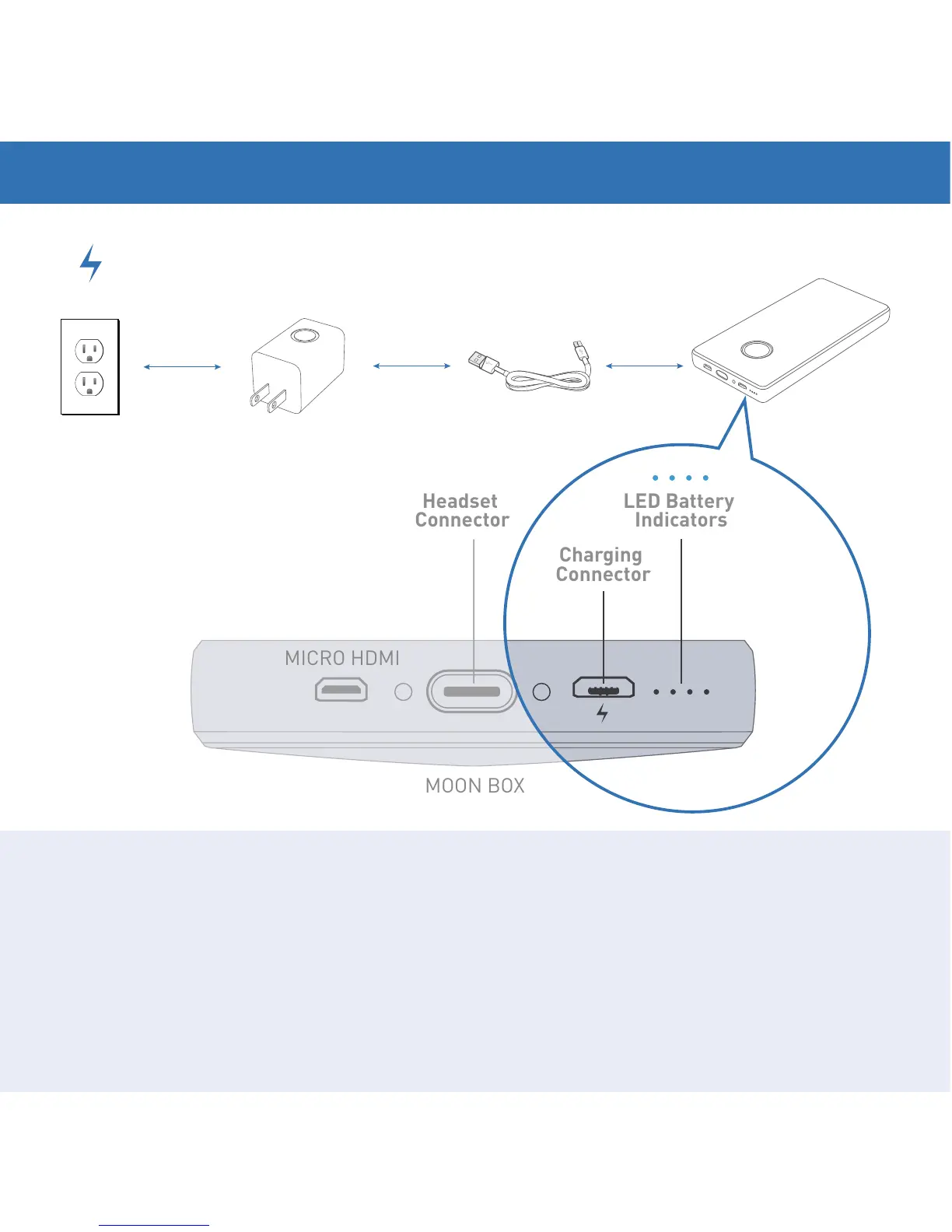
USB to
AC Adapter
Micro USB to
USB Cable
The Moon Box will come with a minimal charge and should be fully charged
before initial use. To charge, connect the Micro USB to USB Cable to the
USB/AC Adapter. Plug the USB/AC Adapter into an electrical outlet and the
Micro USB into the input on the Box. It will take about two hours for a full
charge. The four LED indicator lights by the Micro USB input show charging
progress. Four lit LEDs indicate a full charge. Before use, remove the clear
plastic protective packing film from the Box.
2. CHARGING THE MOON BOX
Moon Box


 To Next Page